
Системные ошибки плоттеров HP DesignJet Z2100| Z3100 | Z3200
В этом разделе указаны все системные ошибки, которые могут возникнуть при использовании плоттеров серии HP DesignJet Z2100, Z3100 и Z3200, а также описываются меры по устранению обнаруженной проблемы.
|
Системная ошибка |
Описание проблемы |
|
01.0:YZ |
Нет связи с главной платой |
|
01.1:YZ |
Ошибка главной платы |
|
01.2:YZ |
Нет связи между главной платой и системой чернил |
|
01.3:YZ |
Ошибка устройства I2C правой станции подачи чернил |
|
02.1:YZ |
Ошибка платы каретки |
|
03:YZ |
Проблема с блоком питания |
|
03.0:10 |
Замените батарейку в главной плате |
|
06:YZ |
Сбой чтения / записи NVM на жесткий диск |
|
08:YZ |
Отсутствует связь между устройством и сенсорной панелью |
|
11:YZ |
Ошибка кабеля (шлейфа) каретки |
|
21:YZ |
Ошибка сервисной станции (в самом движении каретки) |
|
21.1:YZ |
Ошибка сервисной станции (мотор салазки) |
|
2x.n:10 |
обнаружена ошибка подачи чернил во время диагностического теста IDS. Буква » n » обозначает разъём для картриджа, который вышел из строя. Самый дальний разъём слева и обозначается как 0. Счет идет слева на право. Данные иллюстрации касаются моделей Z3100/Z3200 |
|
22.0:YZ |
Ошибка станции подачи чернил (ISS – левая). Левая тройка |
|
22.1:YZ |
Ошибка станции подачи чернил (ISS – левая). Правая тройка |
|
22.2:YZ |
Ошибка станции подачи чернил (ISS – правая). Левая тройка |
|
22.3:YZ |
Ошибка станции подачи чернил (ISS – правая). Правая тройка |
|
24:YZ |
Сбой настройки чернил |
|
31:01 |
Ошибка резака |
|
31:02 |
Ошибка резака |
|
31:03 |
Бумага загружена. Во время тестирования резака бумага не должна загружаться. |
|
41:03 |
Ошибка мотора протяжки рулона (вероятно из-за трения или препятствий на пути носителя) |
|
41:YZ |
Ошибка мотора протяжки рулона (вероятно из-за трения или препятствий на пути носителя) |
|
42:03 |
Ошибка мотора привода каретки (вероятно, из-за препятствий на оси сканирования или электрической неисправности) |
|
42:YZ |
Ошибка мотора привода каретки (вероятно, из-за трения или препятствий на пути движения носителя) |
|
44:YZ |
Ошибка вентилятора сервисной станции |
|
47:03 |
Ошибка мотора маховика |
|
47:YZ |
Ошибка мотора маховика |
|
48:YZ |
Ошибка системы PPS (соленоид) |
|
51:YZ |
Ошибка датчика верхней крышки |
|
52:10 |
Принтер обнаружил сбой в Drop Detector |
|
55:YZ |
Проблема с датчиком каретки (Line Sensor). Принтер обнаружил сбой доступа к EEPROM линейного датчика каретки |
|
56:YZ |
Сбой приводного ролика аналогового энкодера. Проблема с диском или датчиком энкодера |
|
58:YZ |
Цветной датчик ESP (спектрофотометр) плоттера работает некорректно. |
|
59.1:09 |
Одновременно заменены два электронных узла |
|
59.2:00 |
Установлена неподдерживаемая или повторно используемая деталь |
|
59.3:09 |
Комбинация номера продукта и/или выпуска микропрограммы и / или аппаратного обеспечения модуля форматирования несовместимы |
|
61:YZ |
Формат файла неверен или не поддерживается для текущей конфигурации принтера, и плоттер не может обработать задание |
|
63:YZ |
Проблема ввода-вывода через сетевой интерфейс модуля форматирования |
|
64:YZ |
Проблема ввода-вывода через USB-порт |
|
65:YZ |
Ошибка Memory Driver Internal I/O error, I/O Socket Manager Internal I/O |
|
68:YZ |
Потеря данных счетчиков слежения |
|
71:YZ |
Нехватка памяти |
|
71:19 |
Серийный номер по умолчанию найден в основном и резервном NVM. Похоже, что и печатающий Mech PCA, и жесткий диск были заменены одновременно |
|
72:YZ |
Необходимо выполнить сервисную калибровку. Проверьте внутренний код ошибки, чтобы увидеть, какая калибровка должна быть выполнена. Чтобы проверить внутренний код ошибки, нажмите вверх и отмену одновременно, пока отображается код ошибки. |
|
74:YZ |
Ошибка загрузки файла обновления прошивки |
|
74.1:YZ |
Ошибка загрузки файла обновления профиля бумаги |
|
75.21:YZ |
Бункеры отработки (левая плевательница(Left Spittoon) и сервисная станция) достигли 80% износа |
|
75.22:YZ |
Бункеры отработки (левая плевательница(Left Spittoon) и сервисная станция) достигли полного заполнения |
|
76:YZ |
Переполнен жесткий диск |
|
77:YZ |
Приложение для веб-доступа. Веб-сервер работает неправильно. |
|
78:08 |
Полученное задание не может быть напечатано без границ на этой бумаге |
|
78.1:YZ |
Отсутствует область настроек носителя в файле настроек бумаги |
|
79:YZ |
Общая ошибка прошивки |
|
79.1:YZ |
Восстанавливаемая ошибка прошивки, которая не останавливает процесс печати |
|
81:YZ |
Эта ошибка может возникнуть из-за того, что принтер упал во время транспортировки, что привело к повреждению конструкции. Прежде чем продолжить поиск неисправностей 81: YZ, сначала обратите внимание на структурные повреждения. Ошибка связана с осью движения бумаги |
|
85:YZ |
Проблема нахождения нулевого приводного ролика. Ошибка связана с осью движения бумаги |
|
86:01 |
Проблема с перемещением каретки, скорее всего, из-за замятия бумаги. |
|
87:YZ |
Проблема с показаниями датчика энкодера узла каретки |
|
93:YZ |
Невозможно создать давление в системе подачи чернил. Мотор ISS движется не так, как требуется |
|
94:YZ |
Ошибка калибровки цвета |
Чтение кода системной ошибки
Коды системных ошибок объясняют, какой компонент/система вышли из строя и какие действия следует предпринять для устранения проблемы.
Коды системных ошибок отображаются непосредственно на лицевой панели (но также могут быть видны на информационной странице) и определены в формате XX.YZ. или XX. n: YZ.м.
● XX: Подсистема или процесс (2 цифры).
● n: индекс подсистемы или процесса (если в продукте используется более одного) – необязательно — например, определить источник чернил (цвет и номер)
.● Y: кто должен выполнить действие (1 цифра) – (0 для пользователя или 1 для сервисного инженера).
● Z: Действие для выполнения (1 цифра).
Данная статья носит ознакомительный характер и не является инструкцией к ремонту.
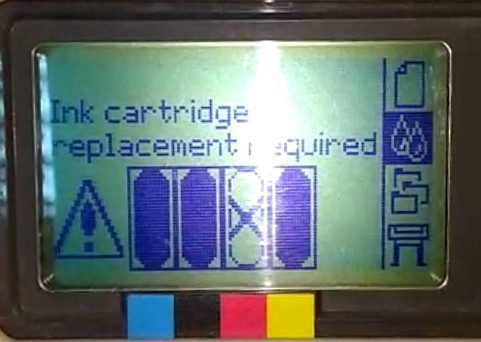
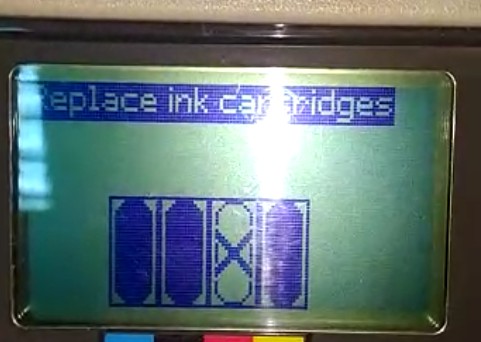
[Color] cartridge has expired
Replace the cartridge. See Handling ink cartridges
and printheads.
[Color] cartridge is missing
Insert a cartridge of the correct
color.
[Color] cartridge is out of ink
Replace the cartridge.
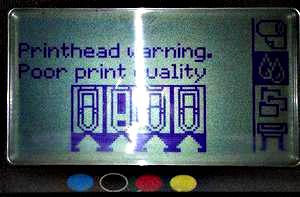
[Color] printhead #[n] error: not
present
Insert the correct printhead.
[Color] printhead #[n] error: please
remove
Remove the incorrect printhead and
insert a new printhead of the correct type (color and number).
[Color] printhead #[n] error: replace
Remove the non-functional printhead
and insert a new printhead.
[Color] printhead #[n] error: reseat
Remove and reinsert the same printhead,
or try cleaning the electrical connections. If necessary, insert a new printhead. See Reseat or Replace Printhead Messages.
[Color] printhead #[n] out of warranty
The printhead’s warranty has expired,
because of the length of time it has been in operation or because of the volume
of ink used.
[Color] printhead #[n] warranty
warning
The printhead’s warranty may be
invalidated by the use of the wrong kind of ink.
IO error
Restart the printer. If the problem
persists, contact HP Support. See Contact HP Support.
IO warning
Try again; if the problem persists,
contact HP Support. See Contact HP Support.
Paper advance calibration pending
Perform paper advance calibration.
See Recalibrate the
paper advance.
Paper too small to print paper advance
calibration
Unload paper and load larger paper.
Paper too small to scan paper advance
calibration
Unload paper and load larger paper.
PDL Error: Ink system not ready
PDL Error: Job clipped
The image is too large for the paper
or for the printer. Load larger paper if possible, or reduce the image size.
PDL Error: memory full
Restart the printer and try re-sending
the job; if necessary, reduce the complexity of the job.
PDL Error: out of paper
Load more paper.
PDL Error: parsing error
The print job is unintelligible
to the printer. Try to recreate and resend it. Check the cable connections.
PDL Error: print mode error
The paper type or print quality
specified for the job are incorrect. Change the loaded paper type or the print
settings.
PDL Error: printing error
Try sending the job again.
PDL Error: virtual memory full
Restart the printer and try re-sending
the job; if necessary, reduce the complexity of the job.
Printhead alignment error: paper
too small
Unload paper and load larger paper.
Reseat [color] cartridge
Remove and reinsert the same cartridge.
See Handling ink cartridges
and printheads.
Update: failed. Invalid file
Make sure that the correct firmware update file has been selected. Then try again to perform the update.
Содержание
- 1 We Stock Service Stations to Solve 21:10, 21:11, 21:13 and 08:04 Service Station Failures We Stock HP 500, 510, 800, T1100, T620, T1120, Z2100, Z3100, Z3200, Z5200, Service Stations!
- 2 Service Station Failure Indicates 21:10, 21:13, 21.1:13 and 21.1:13 System Error Codes on Designjet T1100, T1120t, T1200, T770, T1300, T790-, T795, T2300, Plotters!
- 3 Designjet Service Stations We Carry
- 4 CK837-67022 service station for Design jet T620, T1120
- 5 CH538-67040 – CH538A Service Station for HP Design-jet T620, T1120, T1200, T770, T1300, T790, T795 and T2300.
- 6 E1L21-67006 service station for Design jet Z5400
- 6.1 Guide to Troubleshooting the Printer
- 7 Table of Contents
- 8 T0B51-67023 service station for design jet T2600, Z5600
We Stock Service Stations to Solve 21:10, 21:11, 21:13 and 08:04 Service Station Failures We Stock HP 500, 510, 800, T1100, T620, T1120, Z2100, Z3100, Z3200, Z5200, Service Stations!
- C7769-60374 Design Jet 500, 510, 800 Service Station
- Q6683-60187 T610, T1100 Service Station
- CK837-67022 designjet T620, T1120 Service Station
- CH538-67040 service station T770, T790, T1200, T1300, T795
- Q6718-67025 design-jet Z2100, Z3100, Z3200, Z5200 Service Station
- Q6651-60284 DesignJet Z6100 Service Station
- CQ109-67021 Design Jet Z6200 service station
Service Station Failure Indicates 21:10, 21:13, 21.1:13 and 21.1:13 System Error Codes on Designjet T1100, T1120t, T1200, T770, T1300, T790-, T795, T2300, Plotters!
Design Jet failure with 21:10 error, 21:11 error and 21:13 error during printing can solved by our repair technicians quickly at your site. We provide Design-jet plotter POST FAILURE repairs where the plotter fails to go to READY state during power on Self-test and the control panel shows system error 21:10, 21:11 and 21:13 errors indicate service station movement failure during initializing.
Our DesignJet technicians are trained to solve 21:10 error, 21:11 error and 21:13 service station error. We run paper calibration test and alignment test on every Design Jet repair to ensure your plotter is printing all the colors correctly. We provide FREE cleaning and lubrication on every Design Jet plotter service.

Designjet Service Stations We Carry
CK837-67022 service station for Design jet T620, T1120
CH538-67040 – CH538A Service Station for HP Design-jet T620, T1120, T1200, T770, T1300, T790, T795 and T2300.
E1L21-67006 service station for Design jet Z5400

Guide to Troubleshooting the Printer
Table of Contents
Table of Contents
Troubleshooting 1-1
Introduction 1-2
Troubleshooting System Error Codes 1-2 Solving Print Quality Problems 1-3 Cover Sensors are not Working 1-3
The Line Sensor has Problems Detecting Media 1-3 Troubleshooting Paper-Axis Shutdowns 1-4 Problems with the Vacuum Fan 1-5
Vacuum suction much lower at high altitudes 1-5
HP-GL/2 color differences in different HP DesignJet Printers 1-6 Banding at variable extreme environmental conditions 1-6
The Priming Procedure Fails 1-7
Using the Power Switch LED to Troubleshoot 1-10 Using the Boot-Up Sequence to Troubleshoot 1-12
Using the Formatter/Accessory Card LEDs to Troubleshoot 1-14
System Error Codes 2-1
Introduction 2-2
Continuable and Non-Continuable Error Codes 2-2
System Error Codes — Explanation 2-2
Error Log Utility 2-5
Accessing the Error Log Utility 2-5
Ink Supplies Troubleshooting 3-1
What are the Ink Supplies? 3-2
Ink Cartridges 3-2
Printheads 3-3
Identifying the Components 3-3
General Information About the Ink Supplies 3-4
Some General Precautions When Handling the Ink Supplies 3-5
When Should You Replace the Ink Cartridges? 3-6
When Should You Replace the Printheads? 3-7
Obtaining Ink Cartridge Information 3-9
|
4 |
HP DesignJets 500, 510 and 800 Series Printers Service Manual |
Table of Contents
Obtaining Printhead Information 3-10
Ink Cartridge Status Messages 3-12
Ink Cartridge Status While Replacing 3-12 Printhead Status Messages 3-13
Printhead History Utility 3-14
Accessing the Printhead History Utility 3-14
Is the Printer Causing Repetitive Printhead Problems? 3-16 Is the User Replacing the Printheads too Early? 3-18 Troubleshooting Repetitive Ink Cartridge Messages 3-20 Troubleshooting Repetitive Printhead Error Messages 3-21 Printhead Error Codes 3-22
Summary of Solving Ink Supplies Problems 3-23
Service Tests and Utilities 4-1
Introduction 4-2
Phone Support 4-2
Diagnostics — Self Test 4-2
Service Tests (Diagnostics) 4-3
Entering the Service Tests Menu 4-4
Ink Supply Station 4-6
Carriage Movement 4-8
Paper Advance Test 4-10
Service Utilities 4-13
Entering the Service Utilities Menu 4-14
EEROM Setup 4-16
Turn Drive Roller 4-21
Unlock Carriage 4-22
Prime Tubes 4-23
Change Cutter 4-24
Change Ink Tubes 4-25
Printer Information 4-26
Service Calibrations 5-1
Entering the Service Calibrations Menu 5-3
Printhead Alignment (includes PPS Calibration) 5-5
Color Calibration 5-7
Advance Calibration 5-9
Factory Advance Calibration 5-11
|
HP DesignJets 500, 510 and 800 Series Printers Service Manual |
5 |
Table of Contents
Print Quality 6-1
Print Quality 6-2
Print Quality Troubleshooting Checklist 6-2 How to Use the Troubleshooting Procedure 6-4 What is the Troubleshooting Procedure? 6-4
Considerations for Using the Troubleshooting Procedure. 6-4 Performing the Troubleshooting Procedure 6-4 Troubleshooting Procedure Flowchart 6-7
No Printing Defects Found Using the Troubleshooting Procedure 6-8 Solving Color Accuracy problems 6-9
Color Consistency problems 6-9
Long Term Color Bleeding (Glossy Papers) 6-9 Media 6-10
There are Smears or Scratching on the Printed Media 6-10
Parts and Diagrams 7-1
Printer Support 7-2
Right Hand Cover 7-4
Left Hand Cover 7-6
Top Cover and Deflectors 7-8
Rollfeed Module 7-10
Back Platen Assembly 7-12
Electronics Module 7-14
Power Supply 7-16
Cutter Assemblies 7-18
Ink Delivery System 7-20
Service Station and Spittoon 7-22
Service Station Holder 7-24
Pinch-Wheel Assemblies 7-26
Scan-Axis Motor 7-28
Drive Roller Encoder Sensor 7-30
Print Platen Assembly 7-32
Carriage Assembly 7-34
Vacuum Fan 7-36
Interconnect Cable 7-38
Paper-Axis Motor 7-40
Drive Roller 7-42
Miscellaneous Items 7-44
|
6 |
HP DesignJets 500, 510 and 800 Series Printers Service Manual |
Table of Contents
Removal and Installation 8-1
Introduction 8-2
Safety Precautions 8-2
Electrostatic Discharge (ESD) Precautions 8-3
Required Tools 8-3
Screw Types 8-4
Left Hand Cover 8-5
Right Hand Cover 8-7
Front Panel 8-9
Window and Top Cover 8-10
Media Deflectors 8-11
Left End Roll-Feed 8-13
Right End Roll-Feed 8-15
Back Platen 8-17
Media Sensor 8-19
Formatter 8-20
LAN Card 8-21
Spittoon 8-23
Electronics Module 8-24
Power Supply 8-27
Scan-Axis Motor Assembly 8-29
Cutter Assembly 8-32
Left Encoder Holder 8-33
Cutter Bushing 8-35
Cutter Guide Bracket 8-36
Drive Roller Encoder Sensor 8-38
Trailing Cable 8-40
Ink Supply Station 8-48
Interconnect PCA 8-50
Service Station and Aerosol Fan 8-52
Cutter Guide 8-55
Print Platen 8-56
Service Station Holder 8-57
Interconnect Cable 8-59
Ink Supply Tubes 8-60
Vacuum Fan 8-64
Pinch-Arm 8-66
Pinch-Arm Mechanism 8-67
Pinch-Arm Lever 8-69
|
HP DesignJets 500, 510 and 800 Series Printers Service Manual |
7 |
Table of Contents
Pinch-Arm Sensor 8-71
Fork Idler, Tensioner and Idler Pulley 8-74
Encoder Strip 8-76
Carriage Assembly (Including Belt) 8-78
Paper-Axis Motor 8-84
Drive Roller 8-86
Gear Assemblies 8-92
Preventive Maintenance 9-1
Moisture on the Printer 9-2
Noisy Carriage Bushing 9-2
Belt Swelling 9-2
Cleaning the Printer 9-2
General Cleaning 9-2
Cleaning the Drive Roller/Print Platen 9-3
Scheduled Maintenance 9-3
Level of Printer Usage 9-3
Scan-Axis Maintenance 9-4
Functional Overview 10-1
Introduction 10-2
SKU Overview 10-2
Electrical System 10-3
Introduction 10-3
Hardware Description 10-3
Power Supply Unit (PSU) 10-5
Front Panel 10-6
Ink Delivery System (IDS) 10-7
Ink Supply Station (ISS) 10-7
Tubes Assembly 10-9
Service Station 10-10
Glossary
Index
|
8 |
HP DesignJets 500, 510 and 800 Series Printers Service Manual |
T0B51-67023 service station for design jet T2600, Z5600
Источники
- https://laserjetprinterrepair.com/error-code-2110-2111/
- https://manualmachine.com/hp/designjet500510800/195527-service-manual/
[свернуть]