
|
|
Ремонт сервопривода PANASONIC MINAS
 Сервисный центр «Кернел» предлагает выполнить качественный ремонт сервопривода PANASONIC MINAS в на компонентном уровне в максимально сжатые сроки.
Сервопривода относятся к сложной промышленной электронике именно поэтому ремонтом серводрайверов PANASONIC MINAS, впрочем, как и сервоприводов других производителей должны заниматься специалисты, имеющие не только высшее техническое образование, но и солидный опыт в ремонте подобной промышленной электроники.
Также для восстановления подобного промышленного оборудования понадобится хорошая материально-техническая база. При выполнении этих условий шансы на успешный ремонт сервопривода PANASONIC MINAS возрастают в геометрической прогрессии.
Именно поэтому за ремонтом сервоприводов PANASONIC или другого производителя лучше всего обращаться в специализированный сервисный центр, который отвечает всем техническим требованиям, такой как Кернел.
Наш цент имеет отличную материально-техническую ремонтную базу, а за время существования с 2002 года специалисты компании накопили бесценный опыт в том числе опыт в ремонте сервоприводов PANASONIC MINAS.
Инженеры сервисного центра выполняют качественный ремонт сервоприводов PANASONIC в всех серий, когда-либо выпускаемых компанией.
|
Серия |
Тип |
|
PANASONIC MINAS A6 |
MADLT01SF, MADLN01SG, MADLN01SE, MADLT05SF, MADLN05SG, MADLN05SE, MADLT11SF, MADLN11SG, MADLN11SE, MBDLT21SF, MBDLN21SG, MBDLN21SE, MADLT15SF, MADLN15SG, MADLN15SE, MCDLT31SF, MCDLN31SG, MCDLN31SE, MBDLT25SF, MBDLN25SG, MBDLN25SE, MCDLT35SF, MCDLN35SG, MCDLN35SE, MDDLT45SF, MDDLN45SG, MDDLN45SE, MDDLT55SF, MDDLN55SG, MDDLN55SE |
|
PANASONIC MINAS A5 |
MADKT1507, MADKT1507E, MBDKT2510, MBDKT2510E, MCDKT3520, MCDKT3520E, MDDKT5540, MDDKT5540E, MEDKT7364, MEDKT7364E, MFDKTA390, MFDKTA390E, MFDKTB3A2, MFDKTB3A2E, MDDKT3530, MDDKT3530E |
|
PANASONIC MINAS A4 |
MADDT1207, MBDDT2210, MCDDT3520, MDDDT5540, MADDT1107, MBDDT2110, MCDDT3120, MADDT1205, MADDT1105, MEDDT7364, MFDDTA390, MFDDTB3A2, MDDDT3530 |
|
PANASONIC MINAS A3 |
MADCT1505, MBDCT2507, MCDCT3512, MDDCT5516, MBDCT1107, MBDCT2107, MCDCT3112, MADCT1503, MBDCT1503, MBDCT1507, MDDCT5512, MDDCT5316, MEDCT5316, MDDCT5325, MEDCT5325, MFDCT7333, MGDCTA350, MGDCTB375 |
|
PANASONIC MINAS A |
MSDA3A1A1A, MSDA5A1A1A, MSDA011A1A, MSDA021A1A, MSDA041A1A, MSDA3A3A1A, MSDA5A3A1A, MSDA013A1A, MSDA023A1A, MSDA043A1A, MSDA083A1A, MSDA103A1A, MSDA153A1A, MSDA253A1A, MSDA303A1A, MSDA353A1A, MSDA403A1A, MSDA453A1A, MSDA503A1A, MSDA5A1D1A, MSDA011D1A, MSDA021D1A, MSDA041D1A, MSDA3A3D1A, MSDA5A3D1A, MSDA013D1A, MSDA023D1A, MSDA043D1A |
|
PANASONIC MINAS E |
MKDET1105P, MKDET1110P, MLDET2110P, MKDET1505P, MLDET2210P, MLDET2510P, MKDET1310P, MLDET2310P, MADCT1103, MADCT1105 |
|
PANASONIC MINAS S |
MUDS3A1A1A, MUDS5A1A1A, MUDS011A1A, MUDS021A1A, MUDS041A1A, MUDS022A1A, MUDS042A1A, MUDS3A5A1A, MUDS5A5A1A, MUDS015A1A, MUDS023A1A, MUDS043A1A, MUDS083A1A |
В данной таблице присутствуют далеко не все сервоприводы PANASONIC MINAS ремонт которых предлагает наш сервисный центр.
Особенности ремонта сервопривода PANASONIC
 Ремонт сервопривода PANASONIC MINAS имеет ряд индивидуальных особенностей, это связано с конструктивными особенностями сервоприводов. По аналогии частотными преобразователями, сервопривод состоит из двух частей, это:
- Аппаратная часть;
- Программная часть.
В первую очередь ремонтируется аппаратная часть промышленного сервопривода. После глубокой диагностики неисправного блока выявляются все неисправные компоненты, которые в последствии заменяются на оригинальные запасные части (по возможности), в случае если сервопривод уже давно снят с производства и найти оригинальные запчасти просто невозможно они заменяются на аналоги.
Данный вид ремонта называется компонентным. От других видов его отличает две немаловажные вещи.
- Значительное удешевление ремонта;
- Существенное сокращение времени ремонта.
По завершении ремонта аппаратной части сервопривода наступает очередь программной. В зависимости от серии выбирается программный продукт и зашивается в блок.
Заключительный этап ремонта сервопривода PANASONIC MINASэто проверка на специализированном стенде, без нагрузки и с нагрузкой максимально приближенна к реальным условиям эксплуатации.
Ошибки сервопривода PANASONIC
 В процессе работы выходит из строя даже самое надежное промышленное оборудование. В данной статье мы приведем ошибки сервопривода PANASONIC, а точнее PANASONIC серии MINAS A6. Привода в наше время, нашли широкое применение абсолютно во всех сферах промышленности, управляя как мини моторами в оргтехнике, так и гигантскими двигателями в горнодобывающей промышленности.
Для простоты общения со столь сложной электроникой все сервопривода оснащены небольшими дисплеями с помощью которых выводятся информационные сообщения с кодами ошибок, расшифровав которые можно сразу же узнать причину ее возникновения. Если учесть распространенность данной промышленной электроники, то появляется острая нужда в расшифровке кодов ошибок сервопривода. В этой статье мы рассмотрим одного из самых известных производителей промышленной электроники имеющему уважение во всем мире, PANASONIC.
Существует несколько видов ошибок, некоторые из них можно устранить автоматически, а некоторые возможно исправить только, обратившись в специализированный сервисный центр. В таблицах ниже приведены коды ошибок сервопривода PANASONIC MINAS A6 и их расшифровка.
Для более длительной безаварийной работы промышленного оборудования должны соблюдаться все рекомендации, изложенные в инструкции по монтажу и настройке сервопривода.
|
Код ошибки |
Защитная функция |
Атрибут |
|||
|
Ос-ой |
Доп. |
История |
Возможно очищен |
Немедленно стоп |
|
|
11 |
0 |
Защита от пониженного напряжения источника питания. |
V |
||
|
12 |
0 |
Защита от перенапряжения. |
V |
V |
|
|
13 |
0 |
Защита основного источника питания от пониженного напряжения (от P до N). |
V |
||
|
1 |
Защита основного источника питания от пониженного напряжения (обнаружение перехвата переменного тока). |
V |
V |
||
|
14 |
0 |
Защита от сверхтока. |
V |
||
|
1 |
Защита от ошибок IPM. |
V |
|||
|
15 |
0 |
Защита от перегрева. |
V |
V |
|
|
1 |
Защита энкодера от ненормального перегрева. |
V |
V |
||
|
16 |
0 |
Защита от перегрузки. |
V |
V |
Переключаемый |
|
1 |
Защита от ненормального увеличения крутящего момента. |
V |
V |
||
|
21 |
0 |
Защита от ошибок отключения связи энкодера. |
V |
||
|
1 |
Защита от ошибок связи энкодера. |
V |
|||
|
23 |
0 |
Защита от ошибок передачи данных энкодера. |
V |
||
|
24 |
1 |
Защита от избыточного отклонения положения. |
V |
V |
V |
|
0 |
Защита от превышения отклонения скорости. |
V |
V |
V |
|
|
25 |
0 |
Гибридная защита от ошибок отклонения. |
V |
V |
|
|
26 |
0 |
Защита от превышения скорости. |
V |
V |
V |
|
1 |
2-я защита от превышения скорости. |
V |
V |
||
|
27 |
0 |
Защита от ошибок частоты ввода командного импульса. |
V |
V |
V |
|
1 |
Абсолютно четкая ненормальная защита. |
V |
|||
|
2 |
Защита от ошибок умножителя командных импульсов. |
V |
V |
V |
|
|
28 |
0 |
Предел защиты от ошибок воспроизведения импульсов. |
V |
V |
V |
|
29 |
0 |
Защита от переполнения счетчика отклонений. |
V |
||
|
1 |
Защита от переполнения счетчика 1. |
V |
|||
|
2 |
Защита от переполнения счетчика отклонений 2. |
V |
|||
|
31 |
0 |
Защита от ошибок функции безопасности 1. |
V |
||
|
2 |
Защита от ошибок функции безопасности 2. |
V |
|||
|
33 |
0 |
IF перекрывает защиту от ошибки распределения 1. |
V |
||
|
1 |
IF перекрывает защиту от ошибки распределения 2. |
V |
|||
|
2 |
IF номер функции входа ошибка 1 защита. |
V |
|||
|
3 |
IF номер функции входа ошибка 2 защита. |
V |
|||
|
4 |
IF выходная функция номер ошибка 1 защита. |
V |
|||
|
5 |
IF номер функции выхода ошибка 2 защита. |
V |
|||
|
6 |
Защита от ошибок фитинга CL. |
V |
|||
|
7 |
Защита от ошибок при установке INH. |
V |
|||
|
34 |
0 |
Ограничение защиты программного обеспечения. |
V |
V |
|
|
36 |
от 0 до 1 |
Защита от ошибок параметра EEPROM. |
|||
|
37 |
от 0 до 1 |
Защита от ошибок кода проверки EEPROM. |
Сервопривод PANASONIC MINAS, скачать инструкции по эксплуатации
Ниже вы можете скачать руководства по эксплуатации сервоприводов PANASONIC для практически всех серий, когда-либо выпущенных данным производителем.
|
Сервопривод PANASONIC MINAS A6 инструкция, руководство пользователя. |
 Скачать PDF Скачать PDF |
|
Сервопривод PANASONIC MINAS A5 инструкция, руководство пользователя. |
Скачать PDF |
|
Сервопривод PANASONIC MINAS A4 инструкция, руководство пользователя. |
Скачать PDF |
|
Сервопривод PANASONIC MINAS A3 инструкция, руководство пользователя. |
Скачать PDF |
|
Сервопривод PANASONIC MINAS A инструкция, руководство пользователя. |
Скачать PDF |
|
Сервопривод PANASONIC MINAS E инструкция, руководство пользователя. |
Скачать PDF |
|
Сервопривод PANASONIC MINAS S инструкция, руководство пользователя. |
Скачать PDF |
Преимущество ремонта сервоприводов в нашем сервисном центре

- Предварительный осмотр на возможность восстановления бесплатный;
- Мы производим ремонт сервопривода PANASONIC в на компонентном уровне (экономия бюджета и времени)
- При ремонте ни каких конструктивных изменений не вносим;
- Ремонт блоков с применением оригинальных запасных частей (по возможности).
- Вы платите исключительно за результат — работающий сервопривод;
- Гарантия на ремонт сервопривода PANASONIC и запасные части, замененные в процессе ремонта 6 месяцев;
- Сроки ремонта варьируются от 5 до 15 рабочих дней;
За два десятилетия существования сервисного центра нашими специалистами были успешно проведены тысячи подобных ремонтов с каждым разом поднимая квалификацию наших инженеров.
В случае выхода из строя промышленного сервопривода на вашем производстве либо появились проблемы с приводом, которые вы не можете решить самостоятельно, мы всегда рады вам помочь. Специалисты нашего сервисного центра в минимальные сроки проведут глубокую диагностику и последующий ремонт сервопривода PANASONIC в .
Схемы подключения серво привода PANASONIC MINAS
В некоторых случает может понадобится схема подключения сервоприводов, ниже мы показаны схемы сервопривода PANASONIC MINAS A6
|
Блок-схема подключения сервопривода PANASONIC MINAS A6 (A, B- frame) |
Блок-схема подключения сервопривода PANASONIC MINAS A6 (C, D- frame) |
|
|

|
|
Блок-схема подключения сервопривода PANASONIC MINAS A6 (E frame) |
Блок-схема подключения сервопривода PANASONIC MINAS A6 (F frame) |
|
|

|


Оставить заявку на ремонт сервопривода PANASONIC
У вас есть проблемы с приводом? Вам нужен срочный ремонт, сброс ошибок или программирование и настройка? Оставьте заявку на ремонт сервопривода PANASONIC в воспользовавшись одноименной кнопкой на сайте либо обратитесь к нашим менеджерам. Связаться с ними можно несколькими способами:

- Заказав обратный звонок (кнопка в правом нижнем углу сайта)
- Посредством чата (кнопка расположена с левой стороны сайта)
- Позвонив по номеру телефона:
- +7(8482) 79-78-54;
- +7(8482) 55-96-39;
- +7(917) 121-53-01
- Написав на электронную почту: 89171215301@mail.ru
Вот далеко не полный список производителей промышленного оборудования, ремонт которого производит наша компания.
 Blowout of thermal fuse due to overheating dynamic brake circuit. (Only F and G frames) Replace the driver.
Protective function
Error code No.
Causes
Measures
Main
Sub
Under voltage protection of control power supply
11
0
Voltage between P and N of converting unit of control power supply has fallen down and dropped below specified value. 100 V version: approx. 200 VDC (approx. 140 VAC)
Measure L1C-L2C line voltage of connector and terminal block
200 V version: approx. 400 VDC (approx. 280 VAC)
1) Low power supply voltage. Occurrence of momentary power failure.
1) Increase the capacity of power supply voltage. Change the power supply.
2) Power capacity shortage…Due to rush current at the main power-on, power supply voltage has fallen down.
2) Increase the power capacity.
3) Servo driver failure (circuit failure)
3) Replace with new servo driver.
Over-voltage protection
12
0
Voltage between P and N of the converter portion of the control power supply has exceeded the specified value 100 V version: approx. 200 VDC (approx. 140 VAC)
Measure the voltage between lines of connector (L1, L2 and L3).
200 V version: approx. 400 VDC (approx. 280 VAC)
1) Enter correct voltage. Remove a phase- advancing capacitor.
1) Power supply voltage has exceeded the permissible input voltage. Voltage surge due to the phase-advancing capacitor or UPS (Uninterruptible Power Supply) have occurred.
2) Measure the resistance of the external resistor connected between terminal P – B of the driver. Replace the external resistor if the value is ∞.
2) Disconnection of the regeneration discharge resistor
3) Change the specified regeneration
3) External regeneration resistor is not appropriate and could not absorb the regenerative energy.
resistance value to wattage.
4) External regeneration discharge resistor is not appropriate and could not absorb the regeneration energy.
4) Change to the one with specified
5) Failure of servo driver (failure of the circuit)
resistance and wattage.
5) Check that Pr0.16.
Main power supply under- voltage protection (PN)
13
0
Instantaneous power failure has occurred between L1 and L3 for longer period than the preset time with Pr5.09 (Main power off detecting time) while Pr5.08 (LV trip selection at the main power-off) is set
Measure the voltage between lines of connector (L1, L2 and L3).
to 1. Or the voltage between P and N of the converter portion of the main power supply has fallen below the specified value during Servo-ON.
100 V version: approx. 80 VDC (approx. 55 VAC)
200 V version: approx. 110 VDC (approx. 75 VAC)
1) Power supply voltage is low. Instantaneous power failure has occurred
1) Increase the power capacity. Change the power supply. Remove the causes of the shutdown of the magnetic contactor or the main power supply, then re-enter the power.
2) Instantaneous power failure has occurred.
2) Set up the longer time to Pr5.09 (Main power off detecting time). Set up each phase of the power correctly.
3) Lack of power capacity…Power supply voltage has fallen down due to inrush current at the main power-on.
3) Increase the power capacity. For the capacity, refer to P.2-10, «Driver and List of Applicable Peripheral Equipments» of Preparation.
4) Phase lack…3-phase input driver has been operated with single phase input.
4) Connect each phase of the power supply (L1, L2 and L3) correctly. For single phase, 100 V and 200 V driver, use L1 and L3.
5) Failure of servo driver (failure of the circuit)
5) Replace the driver with a new one.Eusens Control
Main power supply under- voltage protection (AC)
1
Protective function
Error code No.
Causes
Measures
Main
Sub
*
14
0
Current through the converter portion has
Over-current protection
exceeded the specified value.
1) Failure of servo driver (failure of the circuit, IGBT or other components)
1) Turn to Servo-ON, while disconnecting the motor. If error occurs immediately, replace with a new driver.
2) Short of the motor wire (U, V and W)
2) Check that the motor wire (U, V and W) is not shorted, and check the branched out wire out of the connector. Make a correct wiring connection.
3) Measure the insulation resistance between motor wires, U, V and W and earth wire. In case of poor insulation, replace the motor.
3) Earth fault of the motor wire
4) Check the balance of resister between each motor line, and if unbalance is found, replace the motor.
5) Check the loose connectors. If they are, or
4) Burnout of the motor
pulled out, fix them securely.
5) Poor contact of the motor wire.
6) Replace the servo driver. Do not use Servo-ON/Servo-OFF as a means of staring/stopping the operation.
6) Welding of contact of dynamic braking relay due to frequent servo ON/OFF operations.
7) Enter the pulses 100 ms or longer after
7) Timing of pulse input is same as or earlier than Servo-ON.
Servo-ON.
IPM error protection
1
Blowout of thermal fuse due to overheating dynamic brake circuit. (Only F and G frames)
Replace the driver.
IPM:Intelligent Power Module
9) Power Modulef overheat protection
9) Increase capacity of servo driver and motor. Set up longer acceleration/deceleration time.Reduce the load.
Over-heat protection
15
0
Temperature of the heat sink or power device has been risen over the specified temperature.
1) Improve the ambient temperature and cooling condition.
1) Ambient temperature has risen over the specified temperature.
2) Increase the capacity of the driver and motor. Set up longer acceleration/ deceleration time. Lower the load.
* Encoders abnormal Over-heat protection
1
When encoder overheating prtection detection is valid by the setting value
1) Improve the ambient temperature of servomotor and the cooling condition.
of bit 11 Pr6.10,(Invaild initial set value) The temperature of encoder has exceeded an encoder overheat abnormal level.
2) Increase capacity of servo driver and motor.Set up longer acceleration/ deceleration time.Reduce the load..
1) The ambient temperature of servomotor is high.
2) Overload
Protective function
Error code No.
Causes
Measures
Main
Sub
Over-load protection
16
0
Torque command value has exceeded the over-load level set with Pr5.12 (Setup of over-load level) and resulted in overload protection according to the time characteristics (described later)
Check that the torque (current) does not oscillates nor fluctuate up an down very much on the analog outoput and via communication. Check the over-load alarm display and load factor with the analog outoput and via communication..
1) Increase the capacity of the driver and motor. Set up longer acceleration/ deceleration time. Lower the load.
1) Load was heavy and actual torque has exceeded the rated torque and kept running for a long time.
2) Make a re-adjustment.
2) Oscillation and hunching action due to poor adjustment.
Motor vibration, abnormal noise.
Inertia ratio (Pr0.04) setup error.
3) Make a wiring as per the wiring diagram. Replace the cables.
3) Miswiring, disconnection of the motor.
4) Remove the cause of distortion. Lower the load.
4) Machine has collided or the load has gotten heavy. Machine has been distorted.
5) Measure the voltage between brake terminals. Release the brake
5) Electromagnetic brake has been kept engaged.
6) Make a correct wiring by matching the correct motor and encoder wires.
6) While wiring multiple axes, miswiring has occurred by connecting the motor cable to other axis.
• The over-load protection time characteristics are described on P.6-14.
Once this error occurs, it cannot be cleared at least for 10 sec.
Torque saturation anomaly protection
1
Torque saturation has continued for the time set in Pr6.57 Torque saturation error protection detect time.
• Check operation of the driver.
• Refer to Measures described for Err16.0.
Over- regeneration load protection
18
0
Regenerative energy has exceeded the capacity of regenerative resistor.
Check the load factor of the regenerative resistor from the front panel or via communi- cation.
Do not use in the continuous regenerative brake application.
1) Check the running pattern (velocity monitor). Check the load factor of the regenerative resistor and over-regeneration warning display. Increase the capacity
1) Due to the regenerative energy during deceleration caused by a large load inertia, converter voltage has risen, and the voltage is risen further due to the lack of capacity of absorbing this energy of the regeneration discharge resistor.
of the driver and the motor, and loosen the deceleration time. Use the external regenerative resistor.
2) Regenerative energy has not been absorbed in the specified time due to a high motor rotational speed.
2) Check the running pattern (speed monitor). Check the load factor of the regenerative resistor. Increase the capacity of the driver and the motor, and loosen the deceleration time. Lower the motor rotational speed. Use an external regenerative resistor.
3) Set up Pr0.16 to 2.
3) Active limit of the external regenerative
resistor has been limited to 10 % duty.
Caution Install an external protection such as thermal fuse without fail when
you set up Pr0.16 to 2. Otherwise, regenerative resistor loses the
protection and it may be heated up extremely and may burn out.
Protective function
Error code No.
Causes
Measures
Main
Sub
*
18
1
Regenerative driver transistor on the
Replace the driver.
Regenerative
servo driver is defective.
transistor
error
protection
*
21
0
Communication between the encoder and the driver has been interrupted in certain times, and disconnection
Make a wiring connection of the encoder as per the wiring diagram. Correct the miswiring of the connector pins.
Encoder communication disconnection error protection
detecting function has been triggered.
*
1
Communication error has occurred in data from the encoder. Mainly data error due to noise. Encoder cables are connected, but communication data has some errors.
• Secure the power supply for the encoder of DC4.90 V to 5.25 V)…pay an attention especially when the encoder cables are long.
Encoder communication error protection
• Separate the encoder cable and the motor
cable if they are bound together.
*
23
0
Data communication between the encoder is normal, but contents of data are not correct.
• Connect the shield to FG.
Encoder communication data error protection
Mainly data error due to noise. Encoder cables are connected, but communication data has some errors.
Position deviation excess protection
24
0
Deviation pulses have exceeded the
setup of Pr0.14.
1) The motor movement has not followed the command.
1) Check that the motor follows to the position command pulses. Check that the output toque has not saturated in torque monitor. Make a gain adjustment. Set up maximum value to Pr0.13 and Pr5.22. Make a encoder wiring as per the wiring diagram. Set up the longer acceleration/deceleration time. Lower the load and speed.
2) Set up a larger value to Pr0.14.
2) Setup value of Pr0.14 (Position
deviation excess setup) is small.
Speed deviation excess protection
1
The difference between the internal positional command speed and actual speed (speed deviation) exceeds the setup vale of Pr6.02.
• Increase the setup value of Pr6.02.
Note) If the internal positional command speed is forcibly set to 0 due to instantaneous stop caused by the command pulse inhibit input (INH) or CW/CCW over-travel inhibit input, the speed deviation rapidly increases at this moment. Pr6.02 setup value should have sufficient margin because the speed deviation also largely increases on the rising edge of the internal positional command speed.
• Lengthen the acceleration/deceleration time of internal positional command speed, or improve the follow-up characteristic by adjusting the gain.
• Disable the excess speed deviation detection (Pr6.02 = 0).
Protective function
Error code No.
Causes
Measures
Main
Sub
* Hybrid deviation
25
0
• Position of load by the external scale and position of the motor by the encoder slips larger than the setup pulses with Pr3.28 (Setup of hybrid deviation excess) at full-closed control.
• Check the connection between the motor
excess error protection
and the load.
• Check the connection between the external
scale and the driver.
• Check that the variation of the motor position (encoder feedback value) and the load position (external scale feedback
value) is the same sign when you move the load.
• Check that the numerator and denominator of the external scale division (Pr3.24 and 3.25) and reversal of external scale direction (Pr3.26) are correctly set.
• Do not change command division/
multiplication during full closed control.
• During full closed control, numerator of command division/multiplication is changed or switched over.
Over-speed protection
26
0
The motor rotational speed has exceeded the setup value of Pr5.13.
• Do not give an excessive speed command.
• Check the command pulse input frequency
and division/multiplication ratio.
• Make a gain adjustment when an overshoot
has occurred due to a poor gain adjustment.
• Make a wiring connection of the encoder as
2nd Over- speed protection
1
The motor rotational speed has exceeded the setup value of Pr6.15.
per the wiring diagram.
Command pulse input frequency error protection
27
0
The frequency of command pulse input is
Check the command pulse input for
more than 1.2 times the setting in Pr5.32.
frequency.
Absolute clear abnormal protection
1
Absolute encode multi-rotation clear has been executed when a block operation was enabled (Pr 6.28 is non 0).
Confirm whether absolute encode multi- rotation clear has when a block operation was enabled.(Note) This is a safety measure and is not an abnormality.
Command pulse multiplier error protection
2
Division and multiplication ratio which are set up with the command pulse counts per single turn and the1st and the 4th numerator/denominator of the electronic gear are not appropriate.
• Set the command division and multiplication ratio to a value as small as possible e.g. between 1/1000 and 1000.
The command pulses per 0.167 ms multiplied by the command division and multiplication ratio exceeds 3000 Mpps. The command pulse input fluctuates.
• Check the setup value of electronic gear.
Noises mixed with the command pulse input cause counting error.
• If possible, use the line driver I/F.
• Set Pr5.32 (setting of max. command pulse input) to a value less than 1000 and enable digital filter.
Limit of pulse replay protection
28
0
The output frequency of pulse
• Check the setup values of Pr0.11 and 5.03.
regeneration has exceeded the limit.
• To disable the detection, set Pr5.33 to 0.
Protective function
Error code No.
Causes
Measures
Main
Sub
Deviation counter overflow protection
29
0
Position deviation value of the encoder pulse standard has exceeded 230-1 (1073741823).
• Check that the motor follows the position
command.
• Check that the output toque has not saturated on torque monitor.
• Make a gain adjustment.
• Maximize Pr0.13 “The 1st torque limit setup” and Pr5.22 “The 2nd torque limit setup”.
• Make a connection of the encoder as
described in the wiring diagram.
Counter overflow error protection 1
1
The value of absolute encoder (absolute external scale) position [pulse units]
• Confirm the operating range of absolute encoder (absolute external scale) position and review the electronic gear ratio.
/ electronic gear ratio has exceeded
±231(2147483648), in position information initialization process after closing control power supply under absolute mode when block operations is valid
Counter overflow error protection 2
2
Value of positioning deviation has exceeded±230-1(1073741823) in pulse units. Or the value ofpositioning deviation has exceeded ±230 (1073741824) in command units.
• Confirm that motor rotates in accordance
with the positioning command.
• Confirm that output torque has not saturated by the torque monitor.
• Adjust gain.
• Set Pr.0.13 “1st torque limit setting” and Pr5.22 “2ndtorque limit setting” to maximum.
• Connect encoder connection wiring as per
the wiring diagram.
* Safety function error
31
0
Safety function has detected an error.
In case of the repeated occurrence, because failure is possible, replace the servo driver. Return to a dealer for investigation (repair).
protection
2
*
33
0
Input signals (SI1, SI2, SI3, SI4, SI5) are assigned with two functions.
Allocate correct function to each connector pin.
I/F overlap allocation error 1 protection
*
1
Input signals (SI6, SI7, SI8, SI9, SI10)
I/F overlap allocation error 2 protection
are assigned with two functions.
*
2
Input signals (SI1, SI2, SI3, SI4, SI5) are
I/F input function number error 1
assigned with undefined number.
Protective function
Error code No.
Causes
Measures
Main
Sub
*
33
3
Input signals (SI6, SI7, SI8, SI9, SI10) are assigned with undefined number.
Allocate correct function to each connector pin.
I/F input function number error 2
*
4
Output signals (SO1, SO2, SO3) are
I/F output function number error 1
assigned with undefined number.
*
5
Output signals (SO4, SO5, SO6) are
I/F output function number error 2
assigned with undefined number.
*
6
Counter clear function is assigned to a signal number other than SI7.
Counter clear allocation error
* Command pulse
7
Command pulse inhibit input function is assigned to a signal number other than SI10.
inhibition input allocation error
Motor working range setup error protection
34
0
The motor has exceeded the motor working range set to Pr5.14 “Allowable motor operating range setting” against the position command input range.
1) Gain is not appropriate.
1) Check the gain (balance between position loop gain and speed loop gain) and inertia ratio.
2) Increase the setup value of Pr5.14. Or, Set Pr5.14 to 0 to disable the protective function.
2) Pr5.14 setup value is low.
*
36
0
Data in parameter storage area has been
• Set up all parameters again.
EEPROM
damaged when reading the data from
• If the error persists, replace the driver (it may be a failure.) Return the product to the dealer or manufacturer.
parameter
1
EEPROM at power-on.
error
protection
*
37
0
Data for writing confirmation to EEPROM
Replace the driver. (it may be a failure).
EEPROM
has been damaged when reading the
Return the product to a dealer or
1
check code
data from EEPROM at power-on.
manufacturer.
error protection
2
*
38
0
Both positive and negative direction drive
• Check that there is no error in the switches, wires and power supply connected to the positive direction/negative direction drive prohibition input. Check particularly that start-up of the power supply for the control signal (DC12 to 24 V) is not slow.
Drive
prohibition inputs (POT and NOT) have
prohibition
been turned ON at Pr5.04 “Over-travel
input
inhibition input setting” =0.
protection
Either positive direction drive prohibition
input or negative direction drive
prohibition input has been turned ON at
Pr5.04=2.
Protective function
Error code No.
Causes
Measures
Main
Sub
Analog input 1 (AI1) excess protection
39
0
The voltage more than the value set in Pr4.24 “Analog input 1 (AI1) excess
• Correctly set Pr4.24 “Analog input 1 (AI1)
setup” has been applied to analog input 1.
excess setup.”
Check the connection of I/F connector.
• Set Pr4.24 to 0 and disable the protective
function.
Analog input 2 (AI2) excess protection
1
The voltage more than the value set in Pr4.27 “Analog input 2 (AI2) excess
• Correctly set Pr4.24 “Analog input 1 (AI1)
setup” has been applied to analog input 2.
excess setup.”
Check the connection of I/F connector.
• Set Pr4.24 to 0 and disable the protective
function.
Analog input 3 (AI3) excess protection
2
The voltage more than the value set
• Correctly set Pr4.24 “Analog input 1 (AI1) excess setup.”Clear the absolute encoder first to excute the alarm clear.
in Pr4.30 “Analog input 3 (AI3) excess setup” has been applied to analog input 3.
Check the connection of I/F connector.
• Set Pr4.24 to 0 and disable the protective
function.
Absolute system down error protection
40
0
The power supplies and battery powers to absolute encoder were shut down, and the built-in capacitor voltage dropped below specified value.
After connecting the power supply for the battery, clear the absolute encoder.
Caution Once this error occurs, the alarm cannot be cleared until the absolute encoder is reset.
• If you use the incremental system
Pr 0.15 «sets the absolute encoder » is set
to 1.
* Absolute counter over error protection
41
0
Multi-turn counter of the absolute encoder has exceeded the specified value.
• Set Pr0.15 to 2 to ignore the multi-turn
counter over.
• Limit the travel from the machine origin
within 32767 revolutions.
Absolute over-speed error protection
42
0
When using absolute encoder
1) During a power failure, when only battery power is supplied, the motor rotational speed has exceeded the
1) Check the driving from outside in a power outage and the rotational speed at the time, and operate to make it below specified value.
specified value.
2) During normal operation, for some
2) Because the mode was switched to a power failure mode during normal activity
reason, the power of encoder has been
• Check the encoder-side power supply voltage (5 V±5 %).
shut down, and the rotational speed has
• Check the connection of connector CN2.
exceeded the specified value.
The alarm cannot be cleared until the absolute encoder is reset.
Caution Once this error occurs, the alarm cannot be cleared until the absolute encoder is reset.
• If you use the incremental system
Protective function
Error code No.
Causes
Measures
Main
Sub
*
43
0
An error has been detected at
Replace the motor.
Encoder
initialization time of serial incremental
initialization
encoder.
error protection *1
*
44
0
Absolute encoder has detected a single
Replace the motor.
Absolute single
turn counter error.
turn counter
Serial incremental encoder has detected
error protection/
an error in the incremental counter value
incremental
of single turn counter.
single turn
(between z-phase signals)
counter error protection *1
*
45
0
Absolute encoder has detected a multi-
Replace the motor.
Absolute
turn counter error.
• If you use the incremental system
multi-turn
Serial incremental encoder has detected
Pr 0.15 «sets the absolute encoder » is set
counter error protection/
an error in the incremental counter values between CS signals.
to 1.
incremental
counter error protection *1
*
47
0
When power is turned on, absolute
Arrange so as the motor does not run at
Absolute
encoder has been rotated at the specified
power-on.
status error protection *1
value or above.
Incremental
48
0
Missing pulse of Z-phase of serial
Replace the motor.
encoder Z
incremental encoder has been detected.
phase error
Failure of encoder.
protection
Incremental
49
0
CS signal logic error of serial incremental
Replace the motor.
Encoder CS
encoder has been detected.
signal error
Failure of encoder.
protection
*
50
0
Communication between the external
• Make a wiring connection of the external
External scale
scale and the driver has been interrupted
scale as per the wiring diagram.
wiring error
in certain times, and disconnection
• Correct the miswiring of the connector pins.
protection
detecting function has been triggered.
*
1
Communication error has occurred in
• Secure the power supply for the external scale of DC5±5 % (4.75 V to 5.25 V)…pay attention especially when the external scale cables are long.
External
data from the external scale. Mainly data
• Separate the external scale cable and the
communication
error due to noise. External scale cables
motor cable if they are bound together.
data error
are connected, but communication date
• Connect the shield to FG…refer to wiring
protection
has some error.
diagram.
Protective function
Error code No.
Causes
Measures
Main
Sub
*
51
0
Bit 0 of the external scale error code
Remove the causes of the error, then clear
External
(ALMC) has been turned to 1.
the external scale error from the front panel.
scale status
Check the specifications of the external
And then, shut off the power to reset.
0 error protection *1
scale.
*
1
Bit 1 of the external scale error code
External
(ALMC) has been turned to 1.
scale status
Check the specifications of the external
1 error protection *1
scale.
*
2
Bit 2 of the external scale error code
External
(ALMC) has been turned to 1.
scale status
Check the specifications of the external
2 error protection *1
scale.
*
3
Bit 3 of the external scale error code (ALMC) has been turned to 1.
External
Check the specifications of the external
scale status 3 error protection *1
scale.
*
4
Bit 4 of the external scale error code (ALMC) has been turned to 1.
External
Check the specifications of the external
scale status 4 error protection *1
scale.
*
5
Bit 5 of the external scale error code (ALMC) has been turned to 1.
Remove the causes of the error, then clear the external scale error from the front panel. And then, shut off the power to reset.
External
Check the specifications of the external
scale status 5 error protection *1
scale.
*
55
0
A-phase wiring in the external scale is defective, e.g. discontinued.
Check the A-phase wiring connection.
A-phase
wiring error protection
*
1
B-phase wiring in the external scale is defective, e.g. discontinued.
Check the B-phase wiring connection.
B-phase
wiring error protection
*
2
Z-phase wiring in the external scale is defective, e.g. discontinued.
Check the Z-phase wiring connection.
Z-phase
wiring error protection
U-phase current detector error protection
70
0
U-phase current offset error is detected.
• Turn off the power once, then re-enter.
W-phase current detector error protection
1
W-phase current offset error is detected.
• If error repeats, this might be a failure.
Thermal protector error
72
0
Thermal protector error is detected.
Stop using the products, and replace the motor and the driver. Return the products to the dealer or manufacturer.
Protective function
Error code No.
Causes
Measures
Main
Sub
Modbus communication timeout protection
80
0
While ensuring Modbus execution right, Modbus communication against own axis has not been received for more than the set time.
• Set Pr5.40 ”Modbus communication timeout period” to 0 to be disabled or to appropriate time.
• Check the connection of Modbus
communication.
Forced alarm input protection
87
0
Forced alarm input (E-STOP) is applied.
Check the wiring of forced alarm input (E-STOP).
Encoder data recovery abnormal protection
92
0
Initialization process of internal position information has not conducted normally under absolute and semi-closed control mode.
• Secure encoder power supply voltage at DC5V±5% (4.75 to 5.25V). Care must be taken when the encoder lines are lengthy.
• If motor wires and encoder wires are
bundled together, separate them.
• Connect shield to FG.
External scale data recovery error protection
1
Internal position information initialization error under full-closed control and absolute mode with block operation enabled.
• Secure external scale power supply voltage of 5 VDC±5% (4.75 to 5.25 V). Please take extra care in case the cable connecting the external scale is long.
• In case the motor line and the external scale connecting cable are bundled together, separate them.
• Connect shield to FG. Refer to external
scale connecting diagram
Multi-rotation upper limit value inconsistency error protection
3
At continuous rotating absolute encoder function, there was a disagreement between the upper-limit value of encoder multi-turn data and the upper-limit value of driver parameter multi-turn data.
• Please confirm the set values of
parameters.
• Reclose the control power supply when this occurs immediately after closing the control power supply. (This is not an abnormality.)
Parameter setup error 1
93
0
1) Electronic gear ratio exceeds the allowable range.
• Check the setting value of the parameter.
2) When a block operation was enabled(Pr 6.28 is non 0), Modbus connection was disabled (Pr 5.37 is 0).
1) When a block operation was enabled (Pr 6.28 is non 0), Electronic gear ratio must be in the range 1/1000 to 8000.
2) When a block operation was enabled
(Pr 6.28 is non 0), Modbus connection was disabled (Pr 5.37 is 0).
Protective function
Error code No.
Causes
Measures
Main
Sub
Block data setting error protection
93
1
1)Velocity, acceleration and deceleration were set to 0, and a block operation was started.
1)Set a value other than zero for velocity, acceleration and deceleration.
2)A conditional branch command has not been supported for comparison purpose.
2)Check whether the conditional branch command or the comparison purpose does not have any problems.
3) A designated block data command has
3)Check whether the block data does not have any problems.Check whether the block number designated does not have any problems.
been undefined.
4)Check whether the block data setup does not have any problems.
4) Also, block data setup has some error.
Parameter setting error protection 2
2
External scale ratio has exceeded the allowable range (1/160000 to 160000 times)
• Please confirm the set values of parameters.
• Use external scale ratio in the range of 1/40 to 1280 times
External scale connection error protection
3
Set value for Pr3.23 “External scale type selection” and the connected serial communication type external scale type to not match.
• Set Pr3.23 to match the type of the
connected external scale
Parameter setting error protection 6
8
Block operation origin offset (Pr60.49) has been set outside the range in absolute mode origin offset valid setting (Pr60.48 bit 1 =1) under infinite rotation absolute mode when block operation is valid (Pr6.28 ≠ 0).
• Please confirm the set values of parameters.
Block operation error protection
94
0
1)During the execution of movement system command (During the execution of position command creation process), a new movement system command has been executed.
1)Check whether the block operation
2) During block operation, a new block number was designated to start.
sequence does not have any problems.
3)Although it was servo-off, a block operation was started.
2)Check whether the host sequence does not
have any problems.
3)Check whether the host sequence does not
have any problems.
Return to origin error protection
2
Abnormal condition has occurred during block operation return to origin.
Check for abnormalities in various sensor installation status.
*
95
0 to 4
The motor and the driver has not been matched.
Replace the motor which matches to the driver.
Motor
automatic recognition error protection
*
97
0
Block operation is set to enabled, when
Check the setting of Pr 0.01”control mode
Control
other than Position control (Pr0.01 = 0)
setting” and Pr 6.28 “Special function
mode
or full-closed control (Pr0.01 = 6)
selection”
setting error
prtection
#1

OFFLINE
vadimon
- Пол:Мужчина
- Город:Краснодарский край
- Интересы:Фрезерно-гравировальные работы на станках с ЧПУ
- Из:Армавир
Отправлено 30 Июль 2011 — 10:55
Контроллер выдает ошибку er 44 сервопривода Panasonic по оси Y. Движение по оси соответственно прекращается. Просьба профессионалом подскажите что делать, станок стоит, а работать надо!!!!!
Похожие темы:
Настройка и калибровка сервопривода Minas от Panasonic
-
0
- Наверх
#2
OFFLINE
vadimon
vadimon
- Пол:Мужчина
- Город:Краснодарский край
- Интересы:Фрезерно-гравировальные работы на станках с ЧПУ
- Из:Армавир
Отправлено 01 Август 2011 — 20:24
Всем доброго дня! Неужели никто не может помочь по моей проблеме?????
-
0
- Наверх
#3
OFFLINE
Roma
Roma
- Пол:Мужчина
- Из:Воронеж
Отправлено 01 Август 2011 — 21:11
Нашёл у себя толмут на панас, er44 – ошибка энкодера. Возможно, пропадает контакт или замыкает при движении, проверяйте кабель и разъёмы к движку Y.
-
0
- Наверх
#4
OFFLINE
vadimon
vadimon
- Пол:Мужчина
- Город:Краснодарский край
- Интересы:Фрезерно-гравировальные работы на станках с ЧПУ
- Из:Армавир
Отправлено 01 Август 2011 — 22:57
Нашёл у себя толмут на панас, er44 – ошибка энкодера. Возможно, пропадает контакт или замыкает при движении, проверяйте кабель и разъёмы к движку Y.
Скачал описание на английском языке, там предлагают, как я понял, заменить двигатель!
-
0
- Наверх
#5
OFFLINE
Roma
Roma
- Пол:Мужчина
- Из:Воронеж
Отправлено 02 Август 2011 — 11:12
Ну да, чего там возиться, ррраз и новый движок поставить. Только не окажется ли, что дело было на 5коп…
-
0
- Наверх
#6
OFFLINE
vadimon
vadimon
- Пол:Мужчина
- Город:Краснодарский край
- Интересы:Фрезерно-гравировальные работы на станках с ЧПУ
- Из:Армавир
Отправлено 02 Август 2011 — 12:31
Ну да, чего там возиться, ррраз и новый движок поставить. Только не окажется ли, что дело было на 5коп…
Вот этого я и боюсь. Сам я что мог проверил. А вот найти грамотного электрика-электронщика в своем городе пока не удалось!?
-
0
- Наверх
#7
OFFLINE
$miller
$miller
- Пол:Мужчина
- Город:Новосибирск
Отправлено 11 Август 2011 — 16:28
Движки местами поменяйте, если проблема с двигателем то ошибка на другом драйвере будет выскакивать, если все останется по старому, тогда провода звоните, меняйте.
-
0
- Наверх
#8
OFFLINE
banner
banner
- Пол:Мужчина
- Город:Кыргызстан
- Из:Бишкек
Отправлено 02 Февраль 2012 — 21:07
Всем привет! Решил выложить на форум некоторые файлы. У меня была проблема с указанием кода ошибки которая высвечивалаль при включении станка на самом сервоприводе. А тут наткнулся на такие материалы,думаю некоторым это будет полезно. Даю ссылку на скачивание. Хочу только предупредить обьем файла 12 МБ,поэтому на форум залить не пройдет при всем моем желании. Такчто если кому интересно пользуйтесь.Всем удачи.
download
-
0
- Наверх
#9
OFFLINE
Skrip
Skrip
- Пол:Мужчина
- Город:Москва
- Из:Водный Стадион
Отправлено 30 Октябрь 2012 — 15:24
Помогите кто сведущий, проблема следующая:
Станок мультикат 3000, наехал порталом на табуретку и выдрал провода из сервомотора (правый). Вставили провода обратно, видимо с первого раза не попали как было, после этого начались глюки с координатой Z, почемуто. Пришел сервисный инженер, нашел несколько отгоревших проводов питающих Z мотор, припаял. Z координата продолжает глючить. Контроллер z мотора, через 3-5 секунд после включения вешает станок с ошибкой 12.
Контроллер такой — Panasonic Mbdht2510E 200v
Вопросов два:
1) что за ошибка, инженер вспомнить не смог, уехал в офис искать решение проблемы
2) в Москве это (контроллер если он сгорел) можно купить по быстрому? Я не нашел. И сколько может стоить +- километр.
-
0
ВСЕХ! люблю. Ох моя печёночка бедненькая…
- Наверх
#10
OFFLINE
Skrip
Skrip
- Пол:Мужчина
- Город:Москва
- Из:Водный Стадион
Отправлено 02 Ноябрь 2012 — 09:36
Ошибка 12 оказалось кз на землю всех управляющих проводов. Правда хоть убей не пойму почему глючил Z, если коротили провода правого Y. Так или иначе все заработало, спасибо техподдержке и какой-то матери ).
Тему можно закрыть.
-
0
ВСЕХ! люблю. Ох моя печёночка бедненькая…
- Наверх
#11
OFFLINE
rx-tx
rx-tx
-

- Пользователи
-
- 1 сообщений
Абитуриент


- Из:internet
Отправлено 27 Август 2013 — 17:57
Добрый день. Сломался драйвер MCDDT3520 (спецификация 003). Был починен, НО проблема появилась: При включении выдает ошибку Error 60. Данная ошибка в документации не задокументирована(на 53 все заканчивается). Если отключить Енкодер то выдает ошибку, Error 21 нет енкодера. Т.е. какая то часть его работает. Подключаешь обратно, пишет ошибка 60. Куда копать не знаю. Управлять настройками через его панель дает. Силовая часть блока проверена на др. блоке(все исправно работает). Может кто сталкивался с такими драйверами и имеет сервис-мануал.
-
0
- Наверх
#12
OFFLINE
Roma
Roma
- Пол:Мужчина
- Из:Воронеж
Отправлено 27 Август 2013 — 20:01
Не сталкивался, но есть такой PANATERM – софт для настройки и диагностики этих серв. Попробуйте, может быть там расширенное описание ошибок…
-
0
- Наверх
#13
OFFLINE
andrey-kalin
andrey-kalin
- Пол:Мужчина
- Из:СССР
Отправлено 04 Август 2016 — 09:14
Привет всем есть проблема с драйвером Panasonic MCDJT3230 на табло горит ошибка 14 что может быть ?
https://www.panasoni…cifications.pdf
https://yadi.sk/i/gOv4AyGgtu6oy
https://yadi.sk/i/gPbAzE6utu77z
-
0
- Наверх
#14
OFFLINE
lkbyysq
lkbyysq
- Пол:Мужчина
- Город:Санкт-Петербург
- Из:Санкт-Петербург
Отправлено 04 Август 2016 — 10:02
-
0
- Наверх
#15
OFFLINE
andrey-kalin
andrey-kalin
- Пол:Мужчина
- Из:СССР
Отправлено 04 Август 2016 — 10:03
Перегрузка по току.
Как решить эту проблему ?
-
0
- Наверх
#16
OFFLINE
vv92
vv92
- Пол:Мужчина
- Город:Н.Новгород
- Из:Н.Новгород
Отправлено 04 Август 2016 — 10:13
Сервак так работает: выростает нагрузка на валу, сервоуселитель повышает ток.
Тута есть два путя. Устранить причину увеличения нагрузки или разрешить поднять ток до большего значения, правда двигатель может сгореть.
-
0
Знаю технику безопасности как свои три пальца.Эксперт — это существо, которое перестало мыслить, ибо оно знает!В мире еще много граблей, на которые не ступала нога человека.
Пожалуйста! Исправляйте мои глупые ошибки (но оставьте мои умные ошибки)!
- Наверх
#17
OFFLINE
3D-BiG
3D-BiG
- Пол:Мужчина
- Город:Ареал обитания — вся страна, но обычно встречаюсь в Новосибирске…
- Интересы:Полежать на диване, пофлудить на форуме….
- Из:СССР
Отправлено 04 Август 2016 — 10:14
Перегрузка по току.
Как решить эту проблему ?
Много вариантов может вызвать проблему, например зауженая зона удержания при некорректно выставленных ПИД-параметрах: станок пытается выдержать координату, но из-за раскачки проскакивает это положение и колеблется в ее районе, в результате он свистит и даже может выскочить по токам…
-
0
Лужу, паяю, станки ЧПУ починяю….
Еще частенько здесь болтаю: Телеграм сообщество ЧПУшников: t.me/cncunion
- Наверх
#18
OFFLINE
andrey-kalin
andrey-kalin
- Пол:Мужчина
- Из:СССР
Отправлено 04 Август 2016 — 10:29
Спасибо ,,,, Если честно не чего не понял из выше перечисленного 

-
0
- Наверх
#19
OFFLINE
lkbyysq
lkbyysq
- Пол:Мужчина
- Город:Санкт-Петербург
- Из:Санкт-Петербург
Отправлено 04 Август 2016 — 12:01
Там же перечислено ВОСЕМЬ причин. Переведите.
Причина первая — сервопривод сдох.
Причина вторая — провода перетерлись.
Причины третья и четвертая — двигатель сдох.
Причина пятая — контакты разошлись.
Причина шестая — привод сдох.
Причина седьмая — двигатель не соответствует приводу.
Причина восьмая и самая невероятная — импульсы на вход почему-то стали приходить по-другому. Хотя… Может быть входные провода и контакты.
Сообщение отредактировал lkbyysq: 04 Август 2016 — 12:14
-
0
- Наверх
#20
OFFLINE
T-Rex
T-Rex
- Пол:Мужчина
- Из:Йошкар-Ола
Отправлено 04 Август 2016 — 12:02
Как решить эту проблему ?
Для начала собрать и осмыслить информацию — при каких условиях возникает ошибка токовой перегрузки и что могло предшествовать первому проявлению неисправности. Раньше-то все нормально работало? Или вы самостоятельной настройкой самоделки на серваках занимаетесь?
Даже если не предполагать сбившиеся/кривые настройки «сервопака», возможна масса причин в механике станка — подклинивание ШВП или направляющих, обрыв проводов тормозной муфты (если сервомотор ей оснащен) и т.п. С этих проверок и начните.
-
0
- Наверх
|
|
Ремонт сервоприводов Panasonic в Артике
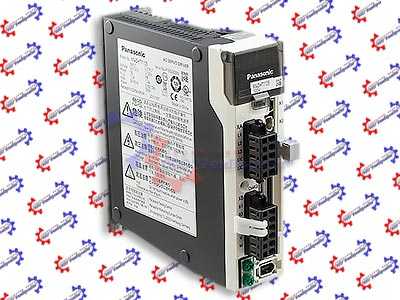
Ремонт сервоприводов Panasonic в Артике, одна из многих услуг предлагаемых сервисным центром «РемПромЭл». Сервопривод относится к сложной промышленной электронике и состоит из двух взаимосвязанных составляющих- это электронная и силовая часть. Подобное конструктивное исполнение значительно усложняет ремонт сервоприводов Panasonic.
Сервопривода достаточно распространенное промышленное оборудование, и как все подвержены износу. В зависимости от интенсивности использования, нагрузки, среды в которой работает оборудования сервопривода выходят из строя останавливая рабочий процесс.
В целях сомнительной «экономии» некоторые пытаются провести ремонт сервоусилителя Panasonic самостоятельно на территории производства. Зачастую данные действия приводят к значительному удорожанию ремонта а при самом неблагоприятном исходе могут привести к не ремонтопригодности серводрайвера.
В виду вышесказанного, настоятельно рекомендуем, не пытайтесь проводить ремонт сервоприводов Panasonic своими силами, обратитесь за помощью к специалистам. Современный специализированный сервисный центр имеет в наличии весь необходимый инструмент, включая специальное диагностическое оборудование, а компетентный персонал проведет качественный ремонт сервоприводов Panasonic в Артике, дополнительно сервисные центры дают гарантию на проведенные ремонтные работы.
Ремонт сервоприводов Panasonic в СЦ «РемПромЭл»
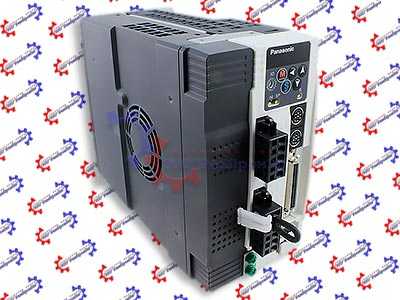
Ремонт сервоприводов Panasonic в сервисном центре самое разумное и экономически выгодное решение. Грамотные специалисты со знанием дела проведут глубокую диагностику неисправного блока и последующий ремонт сервопривода Panasonic в кратчайшие сроки. К написанному можно добавить то, что каждый без исключения ремонт сервопривода Panasonic в СЦ «РемПромЭл» проводится с применением оригинальных запасных частей.
В 2013-ом году специалистами компании был проведен первый ремонт сервопривода Panasonic положивший начало дальнейшему развитию в данном направлении. За прошедшее время были отремонтированы сотни единиц промышленного оборудования и накоплен колоссальный, бесценный опыт в ремонте сервоприводов различных производителей.
Сервисный центр «РемПромЭл» оснащен самым современным диагностическим и ремонтным оборудованием, имеются в наличии расходные материалы, а так же на складе компании богатый выбор оригинальных запасных частей, что дает возможность провести качественный ремонт сервоприводов Panasonic.
Обратившись в СЦ за ремонтом сервоприводов вы получите:
- Глубокую диагностику с выявлением неисправного компонента;
- Чистку неисправного блока;
- Ремонт сервопривода Panasonic в кратчайшие сроки;
- Настройка сервоусилителя;
- Проверку отремонтированного блока на специальном стенде в условиях максимально приближенных к реальным;
- Видео проверки отремонтированного серводрайвера.
Отдельное внимание мы уделяем качеству проведения ремонта и даем гарантию на ремонт сервоприводов Panasonic, а так же на замененные в процессе ремонта запасные части и расходные материалы 6 месяцев.
Настройка сервоусилителей Panasonic в Артике
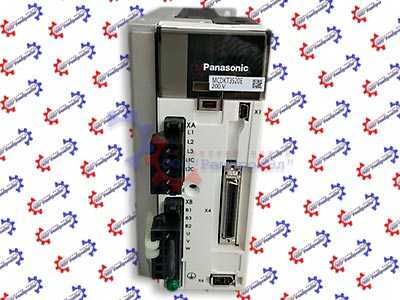
Настройка сервоприводов (сервоусилителей) — это заключительный этап ремонта и в тоже время очень важный. Для правильной работы восстановленного блока просто необходимо провести грамотное программирование сервоусилителя. Ремонт и дальнейшую настройку сервоприводов выполняют разные специалисты, так как подобная работа довольно сложная и имеет свою специфику.
Настройка сервоусилителей или как еще называют программирование сервоприводов Panasonic, неотъемлемая часть процесса реанимирования, ввиду того, что ремонт силовой части это только половина мероприятий направленных на восстановление работоспособности сервоприводов.
В некоторых случаях возникает необходимость провести программирование сервоусилителя без его ремонта. Причин по которым может возникнуть подобная необходимость масса.
Настройка сервоуслилтелей Panasonic в Артике может быть и отдельной услугой предоставляемой сервисным центром «РемПромЭл». Инженеры компании проведут необходимую настройку сервоприводов не только на территории сервисного центра, при необходимости можно заказать услугу выезда специалиста на территорию заказчика (по предварительной договоренности).
От качественной настройки сервоусилителя зависит правильная и безаварийная работа связки сервопривода и серводвигателя, а для этого требуется не много, просто программирование сервопривода Panasonic должен проводить компетентный персонал с богатым опытом по настройке сервоуслилтелей.
Подключение сервопривода Panasonic
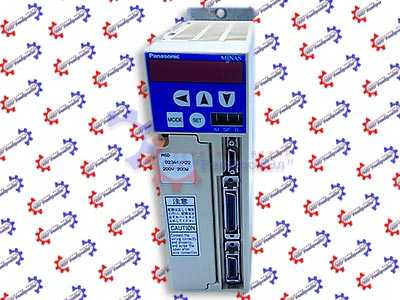
Подключение сервопривода Panasonic к оборудованию заказчика это еще одна услуга предоставляемая нашей компанией.
При необходимости специалист центра выполнит подключение сервопривода Panasonic с выездом на территорию заказчика.
В некоторых случаях на производстве может быть дефицит квалифицированны кадров которые могли бы произвести качественное подключение сервопривода, именно по этому мы предлагаем услуги нашего сервисного центра.
Свяжитесь с нашими менеджерами, закажите выезд специалиста, и подключением сервопривода Panasonic займется инженер сервисного центра. В случае заказа на подключение сервопривода Panasonic силами наших специалистов вы получаете гарантию качества и работоспособности вашего оборудования.
Доверяя работу по подключению сервопривода Panasonic профессионалам, вы избавляетесь от головной боли и гарантированно получаете работающее оборудование в кратчайшие сроки за разумную цену.
Ошибки сервопривода Panasonic
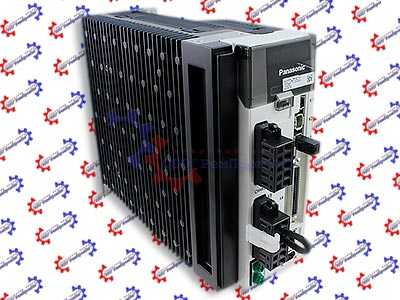
Многие сервопривода данного производителя, за редким исключением оснащен информационной панелью с помощью которой проходит процесс программирования сервоприводов, а так же на ней в случае нештатной ситуации отображается код ошибки которая привела к остановке оборудования.
У каждого производителя разные коды ошибок у кого то это могут быть цифровые обозначения у кого то буквенные, но вся прелесть заключается в том, что открыв документацию и расшифровав код ошибки сервопривода мы с большой долей вероятности можем исправить эту ошибку на месте, сбросить ее на сервоприводе и запустить оборудование заново.
К сожалению не все ошибки сервоприводов можно исправить и сбросить самостоятельно, в некоторых случаях придется обращаться к специалистам сервисного центра.
Самые распространенные ошибки сервоприводов:
- Превышение тока;
- Перенапряжение или недостаточное напряжение;
- Перегрузка;
- Ошибка сигнала энкодера;
- Превышение температуры IGBT-модуля ;
- Ошибка связи;
- Обрыв фазы питания;
- Короткое замыкание.
Это не полный список распространенных ошибок сервоприводов которые можно сбросить самостоятельно без обращения к специалистам.
Коды ошибок сервоприводов Panasonic
| Код ошибки | Описание | |
|---|---|---|
| Ос-ой | Доп. | |
| 11 | 0 | Защита от пониженного напряжения источника питания. |
| 12 | 0 | Защита от перенапряжения. |
| 13 | 0 | Защита основного источника питания от пониженного напряжения (от P до N). |
| 1 | Защита основного источника питания от пониженного напряжения (обнаружение перехвата переменного тока). | |
| 14 | 0 | Защита от сверхтока. |
| 1 | Защита от ошибок IPM. | |
| 15 | 0 | Защита от перегрева. |
| 1 | Защита энкодера от ненормального перегрева. | |
| 16 | 0 | Защита от перегрузки. |
| 1 | Защита от ненормального увеличения крутящего момента. | |
| 21 | 0 | Защита от ошибок отключения связи энкодера. |
| 1 | Защита от ошибок связи энкодера. | |
| 23 | 0 | Защита от ошибок передачи данных энкодера. |
| 24 | 0 | Защита от избыточного отклонения положения. |
| 1 | Защита от превышения отклонения скорости. | |
| 25 | 0 | Гибридная защита от ошибок отклонения. |
| 26 | 0 | Защита от превышения скорости. |
| 1 | 2-я защита от превышения скорости. | |
| 27 | 0 | Защита от ошибок частоты ввода командного импульса. |
| 1 | Абсолютно четкая ненормальная защита. | |
| 2 | Защита от ошибок умножителя командных импульсов. | |
| 28 | 0 | Предел защиты от ошибок воспроизведения импульсов. |
| 29 | 0 | Защита от переполнения счетчика отклонений. |
| 1 | Защита от переполнения счетчика 1. | |
| 2 | Защита от переполнения счетчика отклонений 2. | |
| 31 | 0 | Защита от ошибок функции безопасности 1. |
| 2 | Защита от ошибок функции безопасности 2. | |
| 33 | 0 | IF перекрывает защиту от ошибки распределения 1. |
| 1 | IF перекрывает защиту от ошибки распределения 2. | |
| 2 | IF номер функции входа ошибка 1 защита. | |
| 3 | IF номер функции входа ошибка 2 защита. | |
| 4 | IF выходная функция номер ошибка 1 защита. | |
| 5 | IF номер функции выхода ошибка 2 защита. | |
| 6 | Защита от ошибок фитинга CL. | |
| 7 | Защита от ошибок при установке INH. | |
| 34 | 0 | Ограничение защиты программного обеспечения. |
| 36 | 0 | Защита от ошибок параметра EEPROM. |
| 1 | ||
| 37 | 0 | Защита от ошибок кода проверки EEPROM. |
| 1 |
Документация
| Сервопривод | Серия сервопривода | Руководство |
|---|---|---|
|
Panasonic |
MINAS A | Скачать PDF |
| MINAS E | Скачать PDF | |
| MINAS S | Скачать PDF | |
| MINAS A3 | Скачать PDF | |
| MINAS A4 | Скачать PDF | |
| MINAS A5 | Скачать PDF | |
| MINAS A6 | Скачать PDF |
Типы сервоприводов Panasonic
| Сервопривод | Тип сервопривода |
|---|---|
|
Panasonic |
MCDDT3520N; MSDZ043A1A; MDDHT3530L01; MSD041A1XX14; MDDDT3530A13; MBEG5A5BCV; MEDHT7364CA1; ADKC060BPFADA; MSD021A1XU; MQDS023A1V; MHDA153M1A; MCDDT3520A13; DV88003LFGAE; MSDA023D1A16; MSDA5A3A1A; MFDDTB3A2003; ADKB400BPFADH; MQS023A1XPT; ADKA100GVTAAA; MBDLN25BL; MBDFT1103; MUDS083A1A05; MSD021A1XE; MBDDT2210N01; MSDA023A2A26; MSDZ023A1A; DV40P020LD5C; DV40P040LD2A; DV40P040LD2C; DV40P040LD5A; DV40P040LD5C; DV40P005LD2A; DV40P005LD2C; DV40P005LD5A; DV40P005LD5C; DV40P010LD2A; DV40P010LD2C; DV40P010LD5A; MFD153A1W; MFD253A1W; MFD353A1W; MFD453A1W; MHD053A1W; MHD103A1W; MHD153A1W; MHD203A1W; MHD303A1W; MHD403A1W; ; MSD103A1W; MDD353A1V; MDD503A1V; MFD253A1V; MHD053A1V; MHD103A1V; MGDCTB375; MUDS3A1A1A; MUDS5A1A1A; MUDS021A1A; MUDS022A1A; MUDS042A1A; MUDS3A5A1A; MUDS5A5A1A; MUDS015A1A; MUDS023A1A; MUDS043A1A; MUDS083A1A; MSD5A3A1X; MSD011P1E; MSD013P1E; MSD021P1E; MSD023P1E; MSD043P1E; MSD3A1P1E; MSD3A3P1E; MSD5A1P1E; MSD5A3P1E; MSD1A121E; MSD1A321E |
Указанные в таблице типы сервоприводов Panasonic это далеко не все сервопривода данного производителя, ремонт которых производит наш сервисный центр. Мы предлагаем качественный ремонт сервоприводов в Артике выпущенных не только под брендом Panasonic инженеры центра выполнят ремонт сервоприводов абсолютно любых производителей и года выпуска.
Оставить заявку на ремонт сервопривода Panasonic
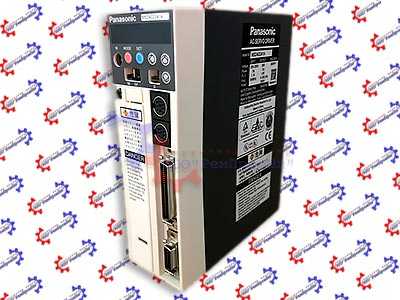
Вы заинтересованы в качественном ремонте дорогостоящего промышленного оборудования силами специалистов нашего сервисного центра, Вы сделали правильный выбор, мы приложим максимум усилий для скорейшего восстановления вышедшего из строя серводрайвера, что позволит Вам максимально сократить простой оборудования и сэкономить значительную сумму.
У вас есть проблемы с сервоприводом? Вам нужен срочный ремонт сервопривода Panasonic или других серий? Оставьте заявку на ремонт сервопривода Panasonic в Артике воспользовавшись одноименной кнопкой на сайте либо обратитесь к нашим менеджерам. Связаться с ними можно несколькими способами:

- Заказав обратный звонок (кнопка в правом верхнем углу сайта)
- Посредством чата (кнопка расположена с левой стороны сайта)
- Позвонив по номеру телефона: +7(927)610-78-70; +7(848)255-80-30
- Написав на электронную почту: Адрес электронной почты защищен от спам-ботов. Для просмотра адреса в вашем браузере должен быть включен Javascript.
- Перейти в начало статьи