
В аппарате закончился тонер, пока приобрел новый тонер аппарат включался как сканер и к тому же на нем печатали.
Печатали до того пока не выдал ошибку С2553. фото 1
Засыпал тонер, сбыл ошибку (через сервисное меню). Аппарат заработал.
На нем распечатали где то 200 листов А4 (слабая заливка) и он начал выдавать ошибку There is no toner? Follow the replacing instruction? And close all doors. фото 2
Тонер в картридже однозначно есть, отверстие не забито, при прокрутке тонер поступает с картриджа.
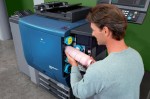
На фотобарабане оказался тонер, фото 3, 4, 5
прокрутил аккуратно чтобы тонер вошёл в блок, но проблема не решилась.
Аппарат распечатывал 1-3 листика и снова ошибка.
Следующие несколько раз тонер ссыпал с фотобарабана (но тонер не всегда остается на фотобарабане, бывает так что фотобарабан после ошибки чистый, но чаще в тонере)
С0000
Main Motor malfunction
Ошибка главного двигателя
162/210/163/211
C0070
Toner Replenishing Motor malfunction
Проблема с вращением банки тонера
162/210/163/211
223/283/363/423
224Е/284Е/364Е/454Е/554Е
Решение
C0202
C0204
C0206
C0208
Elevator Failure Tray 1/2/3/4
Проблема с подъемом бумаги лоток 1/2/3/4
162/210/163/211
Решение
C0211
C0204
C0206
C0208
Bypass Lifting Motion Failure
Проблема с подъемом бумаги лотка ручной подачи
165/185/195/215
222/282/362/223/283/363/423
224Е/284Е/364Е/454Е/554Е
227/287/367
С220/С280/С360
С224/С284/С364/С454/С554
С224Е/С284Е/С364Е/С454Е/С554Е
C227/C287/C367
C258/C308/C368/C458/C558/C658
C0320
LU-202m, LU-202XL fan abnormalitye
Ошибка вентилятора кассеты LU-202m, LU-202XL
AccurioPress C2060/C2070/C2070P
C3070/C3080/C3080P
C05хх
Fusing temperature failure
Проблема с температурой узла закрепления
162/210/163/211
Решение
C0F32
Faulty ATDC Sensor
Ошибка концентрации тонера
162/210/163/211
Решение
C133D
ROM check error
Проблема с платой EEPROM
162/210/163/211
C2152
Transfer belt pressure welding alienation
Проблема с узлом ленты переноса
С220/С280/С360
С224/С284/С364/С454/С554
С224Е/С284Е/С364Е/С454Е/С554Е
C227/C287/C367
C258/C308/C368/C458/C558/C658
C2241
C2242
C2243
C2244
Drum motor abnormality Y/M/C/K
Ошибка мотора барабана Y/M/C/K
PRO/PRESS
C6000L/C6000/C7000/C7000P/C70hc
C1060L/C1060/C1070/C1070P
Accurio Press C2060/C2070/C2070P
C3070/C3080/C3080P
Решение
C2253
C2254
Color PC motor`s failure
Ошибка привода барабанов
227/287/367
С220/С280/С360
С224/С284/С364/С454/С554
С224Е/С284Е/С364Е/С454Е/С554Е
C227/C287/C367
C258/C308/C368/C458/C558/C658
Решение
C2351
Fusing cooling fan motor malfunction
Ошибка главного вентилятора охлаждения
164/165/185/195
215/222/282/362
C2411
C2412
C2413
C2414
Developing unit C/M/Y/K new article release
Ошибка определения нового блока проявки
227/287/367
С220/С280/С360
С224/С284/С364/С454/С554
С224Е/С284Е/С364Е/С454Е/С554Е
C227/C287/C367
C258/C308/C368/C458/C558/C658
C2551
C2552
C2553
C2554
C2555
C2556
C2557
C2558
Abnormally low toner density C/M/Y/K
Ошибка концентрации тонера в блоке проявки
165/185/195/215
227/287/367
С220/С280/С360
С224/С284/С364/С454/С554
С224Е/С284Е/С364Е/С454Е/С554Е
C227/C287/C367
C258/C308/C368/C458/C558/C658
C2654
EEPROM Failure
Проблема с платой EEPROM
222/282/362
C2A11
C2A12
C2A13
C2A1
Drum unit C/M/Y/K new release failure
Ошибка определения нового блока барабана
С220/С280/С360
С224/С284/С364/С454/С554
С224Е/С284Е/С364Е/С454Е/С554Е
C227/C287/C367
C258/C308/C368/C458/C558/C658
C3201
C3202
Fusing motor failure
Ошибка мотора привода узла закрепления
224Е/284Е/364Е/454Е/554Е
С220/С280/С360
С224/С284/С364/С454/С554
С224Е/С284Е/С364Е/С454Е/С554Е
C258/C308/C368/C458/C558/C658
C34хх
C37хх
C38хх
C39хх
Fusing temperature failure
Проблема с температурой узла закрепления
164/165/185/195/215
221/282/362/223/283/363/423
224Е/284Е/364Е/454Е/554Е
227/287/367
С220/С280/С360
С224/С284/С364/С454/С554
С224Е/С284Е/С364Е/С454Е/С554Е
C227/C287/C367
C258/C308/C368/C458/C558/C658
Решение
C3508
Fusing high temperature abnormality
Повышенная температура узла фиксации
PRO/PRESS C6000L/C6000/C7000/C7000P/C70hc
C1060L/C1060/C1070/C1070P
Accurio Press C2060/C2070/C2070P
C3070/C3080/C3080P
Решение
C3924
Fusing sensor wire breaks detection
Проблема с термистором узла фиксации
C452/C552/C652
C451/C550/C650
C4101
Polygon Motor Failure
Проблема с блоком лазера
164/185/195/215
222/282/362/223/283/363/423
224Е/284Е/364Е/454Е/554Е
227/287/367
С220/С280/С360
С224/С284/С364/С454/С554
С224Е/С284Е/С364Е/С454Е/С554Е
C227/C287/C367
C258/C308/C368/C458/C558/C658
C4661
C4662
C4663
Color registration correction abnormality Y/M/C
Ошибка регистрации цветов Y/M/C
PRO C6000L/C6000/C7000/C7000P/C70hc
C1060L/C1060/C1070/C1070P
Решение
C5102
C5103
Main Motor malfunction
Ошибка главного двигателя
164/165/185/195/2
222/282/362/223/283/363/4
224Е/284Е/364Е/454Е/55
С220/С280/С3
С224/С284/С364/С454/С5
С224Е/С284Е/С364Е/С454Е/С554Е
C5370
MFP control board cooling fan motor`s failure to turn
Ошибка включения вентилятора платы MFP
223/283/363/423
224E/284E/364E/454E/554E
227/287/367
С220/С280/С360
С224/С284/С364/С454/С554
С224Е/С284Е/С364Е/С454Е/С554Е
C258/C308/C368/C458/C558/C658
C6755
CIS Gain adjustment abnormality
Ошибка настройки модуля CIS
AccurioPress C2060/C2070
C3070/C3080
C8001
DF communication error
Ошибка коммуникации с автоподатчиком
AccurioPress C2060/C2070
C3070/C3080
C9401
C9402
IR exposure lump malfunction
Проблема с узлом сканера
164/165/185/195/215
222/282/362/223/283/363/423
224Е/284Е/364Е/454Е/554Е
227/287/367
C227/C287/C367
C258/C308/C368/C458/C558/C658
CC151
Flash ROM error
Проблема с платой EEPROM
164/165/185/195/215
226/287/367
C227/C287/C367
C258/C308/C368/C458/C558/C658
CC163
CC164
CC165
ROM contents error
Ошибка программного обеспечения аппарата
С220/С280/С360
С224/С284/С364/С454/С554
С224Е/С284Е/С364Е/С454Е/С554Е
CD004
HDD error
Ошибка жесткого диска
222/282/362
227/287/367
C227/C287/C367
C258/C308/C368/C458/C558/C658
CD0xx
Hard disk error
Проблема с жестким диском
223/283/363/423
224Е/284Е/364Е/454Е/554Е
227/287/367
С220/С280/С360
С224/С284/С364/С454/С554
С224Е/С284Е/С364Е/С454Е/С554Е
C227/C287/C367
C258/C308/C368/C458/C558/C658
Решение
CD3xx
NVRAM data error
Проблема с платой NVRAM
165/185/195/215
222/282/362/223/283/363/423
224Е/284Е/364Е/454Е/554Е
С220/С280/С360
С224/С284/С364/С454/С554
С224Е/С284Е/С364Е/С454Е/С554Е
C227/C287/C367
C258/C308/C368/C458/C558/C658
CE020
Browser abnormality detection
Внезапное выключение браузера
AccurioPress C2060/C2070/C2070P
C3070/C3080/C3080P
CE301
Referring incorrect memory
Ошибка обработки данных (ошибка памяти)
224E/284E/364E/454E/554E
227/287/367
С224/С284/С364/С454/С554
С224Е/С284Е/С364Е/С454Е/С554Е
C258/C308/C368/C458/C558/C658
P-5
PRT/IR ERROR
C200/C203/C220/C224/C250
C252/C253/C258/C284
C277/C287/C257i
C300/C308/C352/C350/C353
C360/C364/C368
C450/C451/C452/C454/C458
C550/C552/C554/C558
C650/C652/C654/C658/C659/C754/C759
C224E/C284E/C364E/C454E
C554E/C654E/C754E
C250P/C252P/C352P
C353P/C450P
C250i/C300i/C360i
C450i/C550i/C650i
C3300i/C3320i/C3350i
C4000i/C4050i
Решение
P-6
P-7
P-8
P-9
C/M/Y/K Imaging Unit failure
C200/C203/C220/C224/C250
C252/C253/C258/C284
C277/C287/C257i
C300/C308/C352/C350/C353
C360/C364/C368
C450/C451/C452/C454/C458
C550/C552/C554/C558
C650/C652/C654/C658/C659
C754/C759
C224E/C284E/C364E/C454E
C554E/C654E/C754E
C250P/C252P/C352P
C353P/C450P
C250i/C300i/C360i
C450i/C550i/C650i
C3300i/C3320i/C3350i
C4000i/C4050i
Решение
P-21
C224e/C224/C220/C652/C200/C203/C227/C250/C250i/C257i/C250P
C252/C252P/C253/C258/C280/C284/C284e/C287/C300/C300i/C308 C352/C350/C352P/C353/C353P/C360/C360i/C364/C364e/C368
C450/C450P/C450i/C451/C452/C454/C454e/C458/C550/C550i/C552 C554/C554e/C558/C650/C650i/C654/C654e/C658/C659/C754 C754e/C759
C3300i/C3320i/C3350i/C4000i/C4050i
Решение
P-28
C224e/C224/C220/C652/C200/C203/C227/C250/C250i/C257i/C250P
C252/C252P/C253/C258/C280/C284/C284e/C287/C300/C300i/C308 C352/C350/C352P/C353/C353P/C360/C360i/C364/C364e/C368
C450/C450P/C450i/C451/C452/C454/C454e/C458/C550/C550i/C552 C554/C554e/C558/C650/C650i/C654/C654e/C658/C659/C754 C754e/C759
Решение
Если вы не нашли на этой странице ваш код ошибки, то нажмите на кнопку «Запросить код ошибки», которая находится под этим текстом, заполните данные, после этого мы отправим информацию на указанную вами электронную почту, а также возможно, что мы добавим вашу ошибку в наш список.
Инфа сотка
-

Bizhub hack
Серия подсказок «bizhub hack» сделает ваше общение с техникой Konica Minolta …
-
5партнер на связи
Компания Пятый партнер не ушла с Российского рынка и продолжает работать. …
-
5partner награды в 2022
Очередной год подряд самый большой объем продаж оборудования Konica Minolta …
-
C4065 vs C7090
В этой статье мы наглядно покажем чем отличается профессиональная модель …
-
-
-
C257i офис в цвете
Konica Minolta в 2021 году выпустила очередной хит цветной офисной бюджетной …
-
-
-
-
C3070L vs C6085
В этой статье мы наглядно покажем чем отличается профессиональная модель …
-
-
-
-
-
-
-
-
-
-
-
-
-
-
-
-
-










 Thanks: 0
 Likes: 0
 Dislikes: 0
-
08-15-2013
#1
Senior Tech
100+ Posts
- Rep Power
- 31
C 2553 on bizhub C454e
I know it’s related to the Magenta TCR being low. So far I have removed and shaken the toner cartridge, vacuumed out the toner hopper(it refilled after I installed the cartridge) and swapped the drum out. Also, the op panel indicator is showing the Magenta toner is almost empty, but it’s a brand new full toner cartridge.
I haven’t had much experience with this model yet, so any help would be much appreciated.
-
08-16-2013
#2
Re: C 2553 on bizhub C454e
Had C-2557 on a C284 this week. We changed the black developing unit today, I will let you know if it helped.
-
08-16-2013
#3
Re: C 2553 on bizhub C454e
This Parts & Service Manual can now be purchased for $12.77 and downloaded immediately after payment from:
Just Manuals, The Internet’s largest selection of manuals ~ Instant Downloads
Paul@justmanuals.com
-
08-16-2013
#4
Senior Tech
100+ Posts
- Rep Power
- 31
Re: C 2553 on bizhub C454e
Thanks B0265, I have a dev unit on order for this one too. Let me know about yours!
-
08-22-2013
#5
Re: C 2553 on bizhub C454e
The C-2557 returned today. We found that this problem appears the do larger print jobs, just like the toner is fed to slow to the dev. unit.
-
08-25-2013
#6
Trusted Tech
50+ Posts
- Rep Power
- 21
Re: C 2553 on bizhub C454e
Make sure the toner supply areas are not blocked and if the dev unit is actually turning. if its feeding too slow — have you tried force toner feed to see if the toner actually gets to the dev unit
Hey what ya doing? — just screwing around.
-
12-09-2014
#7
Re: C 2553 on bizhub C454e
There is new bulletin dealing with this, and C2557,2555, and 2551 toner density low errors. Has to do with a bad toner seal and is under the FOC program. Emujo
If you don’t see your question answered in the forum, please don’t think it’s OK to PM me for a personal reply…I do not give out firmware and/or manuals.
-
12-09-2014
#8
Re: C 2553 on bizhub C454e
Had a c454 do this. It turned out that the auger that carries the toner from the hopper to the dev unit entrance was blocked. Everything was rotating, no funny noises, but the pipe was blocked almost solid so no toner could travel through. Strip out the hopper and make sure the pipes are not clogged. It’s not as bad as it sounds as long as you have a good vacuum cleaner!
-
12-10-2014
#9
Re: C 2553 on bizhub C454e
My problem was C2551, but the cause might be applicable.
My customer prints 4 page stapled booklets on ledger. The outer cover of the booklet (pages 1 and 4) is printed in their trademark color, covered 100%, and the specific color includes 100% cyan fill (100/50/12/24). After three booklets the cyan developing unit is sucked dry/empty. If you do a stabilization and gradation the image quality and toner density comes right back, but who wants to do a gradation and stabilization every 4 booklets?
In the Image Processing tab you can increase the cyan toner density of the developer by 1/2% increments, i.e.: 6.5% = 0, 7.0% = +1, 7.5% = +2, 8.0% = +3. I’m up to +2 on the cyan, and we haven’t seen any codes in a while. Another deceptive symptom of the low developer density is «An internal error has occurred … » which clears after 10 seconds.
I know the machine will run dirtier, but I don’t really see any other option. What is you customers trademark color? =^..^=
If you’d like a serious answer to your request:
1) demonstrate that you’ve read the manual
2) demonstrate that you made some attempt to fix it.
3) if you’re going to ask about jams include the jam code.
4) if you’re going to ask about an error code include the error code.
5) You are the person onsite. Only you can make observations.
blackcat: Master Of The Obvious =^..^=
-
02-19-2015
#10
Senior Tech
100+ Posts
- Rep Power
- 25
Re: C 2553 on bizhub C454e
Hello,
today I had C-2553 on bizhub C224e! The reason was an empty toner bottle (magenta).
Unfortunately there were no «Near to empty»-message or «Emty message» which normaly stops printing/copying in the display. The machine runs until the error-message C-2553 occurs and TCR-M level = 0,99%
After replacing the empty magenta-bottle to an new one and performing «Manual Toner supply Magenta», TCR-M level is about 6,5% (normal value).
All other 3 colors show the «Near to empty» or later a «Toner empty» message and the machine stops, except by magenta.
A short time ago, the hopper-unit was replaced because other C-255X messages are displayed.The funny thing is that the maschine with a new magenta-tonerbottle works normally without an error message C-2553 until the bottle is empty!!! Logically all components (tonerbottle-rotation, toner-supply to the hopper-unit and toner-supply to the developing-unit) are working normally!!! But why does magenta show no «Toner empty» message????
any ideas?


 Re: C 2553 on bizhub C454e

Tags for this Thread
bizhub,
bizhub c454e,
brand,
brand new,
cartridge,
drum,
full,
indicator,
low,
panel,
toner

View Tag Cloud
Bookmarks
Bookmarks
Posting Permissions

- You may not post new threads
- You may not post replies
- You may not post attachments
- You may not edit your posts
- BB code is On
- Smilies are On
- [IMG] code is On
- [VIDEO] code is On
- HTML code is Off
Forum Rules