
Ошибки Kyocera ECOSYS M2030dn
Ошибки Kyocera ECOSYS M2030pn
Ошибки Kyocera ECOSYS M2035dn
Ошибки Kyocera ECOSYS M2040dn
Ошибки Kyocera ECOSYS M2135dn
Ошибки Kyocera ECOSYS M2530dn
Ошибки Kyocera ECOSYS M2535dn
Ошибки Kyocera ECOSYS M2540dn
Ошибки Kyocera ECOSYS M2540dw
Ошибки Kyocera ECOSYS M2635dn
Ошибки Kyocera ECOSYS M2635dw
Ошибки Kyocera ECOSYS M2640idw
Ошибки Kyocera ECOSYS M3040dn
Ошибки Kyocera ECOSYS M3040idn
Ошибки Kyocera ECOSYS M3145dn
Ошибки Kyocera ECOSYS M3145idn
Ошибки Kyocera ECOSYS M2735dw
Ошибки Kyocera ECOSYS M3540dn
Ошибки Kyocera ECOSYS M3540idn
Ошибки Kyocera ECOSYS M3550idn
Ошибки Kyocera ECOSYS M3560idn
Ошибки Kyocera ECOSYS M3645dn
Ошибки Kyocera ECOSYS M3645idn
Ошибки Kyocera ECOSYS M3655idn
Ошибки Kyocera ECOSYS M3660idn
Ошибки Kyocera ECOSYS M3860idn
Ошибки Kyocera ECOSYS M3860idn
Ошибки Kyocera ECOSYS M4125idn
Ошибки Kyocera ECOSYS M4132idn
Ошибки Kyocera ECOSYS M5521cdn
Ошибки Kyocera ECOSYS M5521cdw
Ошибки Kyocera ECOSYS M5526cdn
Ошибки Kyocera ECOSYS M5526cdw
Ошибки Kyocera ECOSYS M6026cdn
Ошибки Kyocera ECOSYS M6026cidn
Ошибки Kyocera ECOSYS M6030cdn
Ошибки Kyocera ECOSYS M6035cidn
Ошибки Kyocera ECOSYS M6230cidn
Ошибки Kyocera ECOSYS M6235cidn
Ошибки Kyocera ECOSYS M6526cdn
Ошибки Kyocera ECOSYS M6526cidn
Ошибки Kyocera ECOSYS M6530cdn
Ошибки Kyocera ECOSYS M6535cidn
Ошибки Kyocera ECOSYS M6630cidn
Ошибки Kyocera ECOSYS M6635cidn
Ошибки Kyocera ECOSYS M8124cidn
Ошибки Kyocera ECOSYS M8130cidn
Ошибки Kyocera ECOSYS P2035d
Ошибки Kyocera ECOSYS P2040dn
Ошибки Kyocera ECOSYS P2040dw
Ошибки Kyocera ECOSYS P2135d
Ошибки Kyocera ECOSYS P2135dn
Ошибки Kyocera ECOSYS P2235dn
Ошибки Kyocera ECOSYS P2235dw
Ошибки Kyocera ECOSYS P3045dn
Ошибки Kyocera ECOSYS P3050dn
Ошибки Kyocera ECOSYS P3055dn
Ошибки Kyocera ECOSYS P3060dn
Ошибки Kyocera ECOSYS P3145dn
Ошибки Kyocera ECOSYS P3150dn
Ошибки Kyocera ECOSYS P3155dn
Ошибки Kyocera ECOSYS P3160dn
Ошибки Kyocera ECOSYS P3260dn
Ошибки Kyocera ECOSYS P4035dn
Ошибки Kyocera ECOSYS P4040dn
Ошибки Kyocera ECOSYS P5021cdn
Ошибки Kyocera ECOSYS P5021cdw
Ошибки Kyocera ECOSYS P5026cdn
Ошибки Kyocera ECOSYS P5026cdw
Ошибки Kyocera ECOSYS P6021cdn
Ошибки Kyocera ECOSYS P6026cdn
Ошибки Kyocera ECOSYS P6030cdn
Ошибки Kyocera ECOSYS P6035cdn
Ошибки Kyocera ECOSYS P6130cdn
Ошибки Kyocera ECOSYS P6230cdn
Ошибки Kyocera ECOSYS P6235cdn
Ошибки Kyocera ECOSYS P7035cdn
Ошибки Kyocera ECOSYS P7040cdn
Ошибки Kyocera ECOSYS P7240cdn
Ошибки Kyocera ECOSYS P8060cdn
Ошибки Kyocera FS-C8600DN
Ошибки Kyocera FS-C8650DN
Ошибки Kyocera FS1016MFP
Ошибки Kyocera FS1018MFP
Ошибки Kyocera FS1020MFP
Ошибки Kyocera FS1024MFP
Ошибки Kyocera FS1025MFP
Ошибки Kyocera FS1028MFP
Ошибки Kyocera FS1030MFP
Ошибки Kyocera FS1035MFP
Ошибки Kyocera FS1040
Ошибки Kyocera FS1050
Ошибки Kyocera FS1060DN
Ошибки Kyocera FS1100
Ошибки Kyocera FS1110
Ошибки Kyocera FS1116MFP
Ошибки Kyocera FS1118MFP
Ошибки Kyocera FS1120
Ошибки Kyocera FS1120MFP
Ошибки Kyocera FS1124MFP
Ошибки Kyocera FS1125MFP
Ошибки Kyocera FS1128MFP
Ошибки Kyocera FS1130MFP
Ошибки Kyocera FS1135MFP
Ошибки Kyocera FS1200
Ошибки Kyocera FS1220MFP
Ошибки Kyocera FS1300D
Ошибки Kyocera FS1320D
Ошибки Kyocera FS1320MFP
Ошибки Kyocera FS1325MFP
Ошибки Kyocera FS1350DN
Ошибки Kyocera FS1370DN
Ошибки Kyocera FS1500
Ошибки Kyocera FS6020
Ошибки Kyocera FS6025MFP
Ошибки Kyocera FS6025MFPB
Ошибки Kyocera FS6030MFP
Ошибки Kyocera FS6500
Ошибки Kyocera FS6525MFP
Ошибки Kyocera FS6530MFP
Ошибки Kyocera FS6700
Ошибки Kyocera FS6900
Ошибки Kyocera FS6950DN
Ошибки Kyocera FS8000CD
Ошибки Kyocera FS8000CN
Ошибки Kyocera FS8100DN
Ошибки Kyocera TASKalfa 180
Ошибки Kyocera TASKalfa 1800
Ошибки Kyocera TASKalfa 1801
Ошибки Kyocera TASKalfa 181
Ошибки Kyocera TASKalfa 205c
Ошибки Kyocera TASKalfa 220
Ошибки Kyocera TASKalfa 2200
Ошибки Kyocera TASKalfa 2201
Ошибки Kyocera TASKalfa 221
Ошибки Kyocera TASKalfa 2420w
Ошибки Kyocera TASKalfa 2460ci
Ошибки Kyocera TASKalfa 2470ci
Ошибки Kyocera TASKalfa 250ci
Ошибки Kyocera TASKalfa 2510i
Ошибки Kyocera TASKalfa 2520i
Ошибки Kyocera TASKalfa 255
Ошибки Kyocera TASKalfa 2550ci
Ошибки Kyocera TASKalfa 2551ci
Ошибки Kyocera TASKalfa 2552ci
Ошибки Kyocera TASKalfa 2553ci
Ошибки Kyocera TASKalfa 255b
Ошибки Kyocera TASKalfa 255c
Ошибки Kyocera TASKalfa 265ci
Ошибки Kyocera TASKalfa 300ci
Ошибки Kyocera TASKalfa 300i
Ошибки Kyocera TASKalfa 3010i
Ошибки Kyocera TASKalfa 3011i
Ошибки Kyocera TASKalfa 305
Ошибки Kyocera TASKalfa 3050ci
Ошибки Kyocera TASKalfa 3051ci
Ошибки Kyocera TASKalfa 306ci
Ошибки Kyocera TASKalfa 307ci
Ошибки Kyocera TASKalfa 308ci
Ошибки Kyocera TASKalfa 3212i
Ошибки Kyocera TASKalfa 3252ci
Ошибки Kyocera TASKalfa 3253ci
Ошибки Kyocera TASKalfa 3500i
Ошибки Kyocera TASKalfa 3501i
Ошибки Kyocera TASKalfa 350ci
Ошибки Kyocera TASKalfa 3510i
Ошибки Kyocera TASKalfa 3511i
Ошибки Kyocera TASKalfa 3550ci
Ошибки Kyocera TASKalfa 3551ci
Ошибки Kyocera TASKalfa 3552ci
Ошибки Kyocera TASKalfa 3553ci
Ошибки Kyocera TASKalfa 356ci
Ошибки Kyocera TASKalfa 358ci
Ошибки Kyocera TASKalfa 4002i
Ошибки Kyocera TASKalfa 4003i
Ошибки Kyocera TASKalfa 400ci
Ошибки Kyocera TASKalfa 4012i
Ошибки Kyocera TASKalfa 4052ci
Ошибки Kyocera TASKalfa 4053ci
Ошибки Kyocera TASKalfa 406ci
Ошибки Kyocera TASKalfa 408ci
Ошибки Kyocera TASKalfa 420i
Ошибки Kyocera TASKalfa 4500i
Ошибки Kyocera TASKalfa 4501i
Ошибки Kyocera TASKalfa 4550ci
Ошибки Kyocera TASKalfa 4551ci
Ошибки Kyocera TASKalfa 4820w
Ошибки Kyocera TASKalfa 5002i
Ошибки Kyocera TASKalfa 5003i
Ошибки Kyocera TASKalfa 500ci
Ошибки Kyocera TASKalfa 5052ci
Ошибки Kyocera TASKalfa 5053ci
Ошибки Kyocera TASKalfa 508ci
Ошибки Kyocera TASKalfa 520i
Ошибки Kyocera TASKalfa 5500i
Ошибки Kyocera TASKalfa 5501i
Ошибки Kyocera TASKalfa 550c
Ошибки Kyocera TASKalfa 552ci
Ошибки Kyocera TASKalfa 5550ci
Ошибки Kyocera TASKalfa 5551ci
Ошибки Kyocera TASKalfa 6002i
Ошибки Kyocera TASKalfa 6003i
Ошибки Kyocera TASKalfa 6052ci
Ошибки Kyocera TASKalfa 6053ci
Ошибки Kyocera TASKalfa 620
Ошибки Kyocera TASKalfa 6500i
Ошибки Kyocera TASKalfa 6501i
Ошибки Kyocera TASKalfa 650c
Ошибки Kyocera TASKalfa 6550ci
Ошибки Kyocera TASKalfa 6551ci
Ошибки Kyocera TASKalfa 7002i
Ошибки Kyocera TASKalfa 7003i
Ошибки Kyocera TASKalfa 7052ci
Ошибки Kyocera TASKalfa 7353ci
Ошибки Kyocera TASKalfa 750c
Ошибки Kyocera TASKalfa 7550ci
Ошибки Kyocera TASKalfa 7551ci
Ошибки Kyocera TASKalfa 8000i
Ошибки Kyocera TASKalfa 8001i
Ошибки Kyocera TASKalfa 8002i
Ошибки Kyocera TASKalfa 8003i
Ошибки Kyocera TASKalfa 8052ci
Ошибки Kyocera TASKalfa 820
Ошибки Kyocera TASKalfa 8353ci
Ошибки Kyocera TASKalfa 9002i
Ошибки Kyocera TASKalfa 9003i
Содержание
- 1 Самые распространенные коды ошибок принтеров Kyocera
- 2 Код C7990
- 3 Способ №2. Замена чипа
- 4 Другие неисправности
- 5 Способ №1. Сброс счетчика страниц / тонера
- 6 Сброс ошибок у принтеров Kyocera своими руками
- 7 Способы решения проблемы
- 7.1 Сброс сообщения о неоригинальном тонере на Kyocera fs 1040
- 8
- 9
- 10
- 11
- 12
- 13
- 14 Значения мигания индикаторов
Слово «ошибка» на английском языке будет «ошибка», поэтому большинство кодов начинаются с заглавной E.
Итак, какие ошибки могут возникать в принтерах Kyocera FS 1020MFP японского производства:
1.E-0002. Указывает, что картридж с тонером не подходит для региональных спецификаций. Вам нужно использовать другой картридж.
2.E-0003. Эта ошибка указывает на то, что память сканера заполнена. Будут доступны только самые последние отсканированные изображения. Чтобы сбросить ошибку E-0003, необходимо очистить память сканера. Для этого нажмите Стоп / Сброс.

Стирание памяти
3.E-0007. Значит, для печати не хватает чернил. Исправить код 07 просто — нужно добавить тонер.
4. При открытой задней или передней крышке МФУ Kyocera не работает и выдает код ошибки E-0008.
5. После печати или копирования большого количества бумаги (сто листов), если лоток не опорожняется, отображается сообщение об ошибке принтера Kyocera E-0009. Вам нужно удалить листы и нажать кнопку Старт, чтобы продолжить работу.
6. Иногда выдается код E-0012, что означает, что задача не может быть выполнена из-за нехватки оперативной памяти. Для решения этой проблемы необходимо изменить разрешение печати с 1200 на 600. Порядок действий описан в инструкции.
7. Когда появится код E-0014, загрузите бумагу нужного формата во входной лоток. Размер листов определяется драйвером принтера.
8. Если вы забыли подключить сетевой или USB-кабель, принтер отобразит код ошибки E-0015. Нужно нажать Stop / Reset, подключить кабель и снова нажать эту кнопку.

Замена картриджа с тонером
В японских принтерах Kyocera FS 1020MFP могут возникать ошибки, как описанные в предыдущем разделе, так и конкретные ошибки. Все коды можно найти в инструкции по эксплуатации.
Код C7990
Этот номер ошибки на моделях FS 1020MFP указывает на сигнал о переполнении тонера.

Ошибка C7990
Причин возникновения ошибки C7990 может быть три:
• неисправна плата PWB;
• неисправен датчик количества краски;
• бункер действительно полон — рекомендуется заменить барабан.

Барабан
В первых двух случаях необходимо обратиться в сервисный центр.
В третьем случае появления кода C7990, если ресурс барабана еще не исчерпан, можно очистить бункер для краски. Делают они это так:
1. Откройте переднюю крышку и выньте блок проявки.
2. Подойдите к барабану.
3. Осторожно откройте крышку бункера и удалите краску.
4. Соберите прибор в обратном порядке.
Как видите, ошибку принтера Kyocera C7990 легко устранить самостоятельно, а обращаться к специалистам нужно только тогда, когда карты действительно плохие.

Способ №2. Замена чипа
Альтернативный вариант сброса счетчика вручную — замена микросхемы. Вы можете заправлять картридж принтера KyoceraFS-1040 сколько угодно, но благодаря установке нового защитного чипа устройство не распознает замену расходного материала.

Ошибочно многие пользователи считают неисправностью, когда на корпусе принтера Kuoser 1040 горит красная кнопка с сообщением «Внимание» и принтер не печатает присланные ему документы. В этом материале мы рассмотрим, в каких случаях это происходит, что делать, как быстро все отремонтировать в домашних условиях, не обращаясь в сервисный центр. Инструкции применимы ко многим моделям Kyocera. Например, fs1040 взят из-за его популярности.
Другие неисправности
Также возможно появление таких кодов:
• C-F040. Вам нужно выключить и снова включить устройство, нажав кнопку питания.
• J-0511. Код указывает на то, что бумага застряла под задней крышкой. Инструкции описывают, как удалить бумагу в соответствующем разделе.
• ПФ. Принтер предложит вам добавить бумагу во входной лоток.

Как видите, принтеры японской компании Kyocera выходят из строя редко. Чаще всего ошибки возникают из-за неправильных или неосторожных действий. Вы можете исправить их самостоятельно, но если не уверены в своих силах, лучше проконсультироваться со специалистом.
Способ №1. Сброс счетчика страниц / тонера
Чтобы запустить принтер KyoceraFS-1040, просто сбросьте счетчик страниц / тонера, удерживая нажатыми кнопки «Отмена» и «GO».

Единственная проблема заключается в том, что удаление предупреждения принтера об использовании неоригинального картриджа может привести к аннулированию гарантии. Так как устройство записывает абсолютно все ошибки в «Журнал событий».
Сброс ошибок у принтеров Kyocera своими руками
Сбрасывая ошибки в принтерах Kyocera, необходимо понимать ряд мер, которые опытный пользователь может потенциально предпринять для восстановления и запуска печатающих устройств без обращения в сервисный центр.
Ошибка №
Это вызывает
Решение
E-0001
В принтер установлен совместимый картридж или повреждена микросхема расходных материалов. Проблему можно решить несколькими способами:
1 установите оригинальный картридж;
2 замена поврежденного чипа;
3 прошивки принтера — так что любой картридж можно устанавливать в принтер неограниченное количество раз;
4 сброс ошибки — держать нажатыми несколько секунд кнопки «Режим» и «Сброс».
E-0002
Регион используемого картриджа не соответствует техническим характеристикам принтера. Проблему можно решить несколькими способами:
1. Установите картридж, соответствующий региону принтера;
3 прошивки принтера.
E-0003
Память печатающего устройства заполнена. Распечатайте уже отсканированные документы или сбросьте операцию с помощью соответствующей кнопки.
E-0007
В картридже закончился тонер. Замените картридж на новый, оригинальный, совместимый или заправьте расходный материал.
E-0008
Одна из крышек принтера не закрыта. Закройте переднюю и заднюю крышки принтера до щелчка.
E-0009
Лоток для печати заполнен. Удалите отпечатанную бумагу и возобновите печать, нажав кнопку «Пуск».
E-0012
Память принтера заполнена. Измените разрешение печати до 600 dpi.
E-0014
Установлен формат бумаги, не поддерживаемый принтером. Замените бумагу листами совместимого размера.
Иногда функциональность принтера может быть ограничена на программном уровне.
Для расширения диапазона форматов рекомендуется обновить программное обеспечение печатающего устройства.
E-0015
1. В принтере нет питания.
2. Сетевой кабель не подключен.
3. На ПК нет драйверов. Проверьте целостность сетевого кабеля.
При необходимости установите драйвер.
E-0018
Выбранный файл отсутствует в очереди печати. Сбросьте операцию, нажав кнопку «Сброс». Затем выберите новый файл и продолжите печать.
E-0019
Формат печати не поддерживается принтером. Сбросьте операцию, нажав кнопку «Сброс».
J-0511
Бумага замята. Осторожно удалите оставшуюся бумагу из корпуса принтера.
ПФ
Во входном лотке нет бумаги. Загрузите бумагу во входной лоток и возобновите печать, нажав кнопку «Пуск».
Способы решения проблемы
Сброс сообщения о неоригинальном тонере на Kyocera fs 1040
Если вышеперечисленные варианты не сработали, то, скорее всего, проблема в самом картридже. Дело в том, что он оснащен датчиком уровня тонера и чипом, отслеживающим количество отпечатанных листов. Когда расходный материал заканчивается или, согласно чипу, он должен закончиться, печать блокируется до тех пор, пока он не будет заменен новым картриджем. Именно это и произошло в нашей ситуации.

Есть три варианта решения проблемы:
- Купите новый картридж и продолжайте его печатать. Это недешево.
- После каждой пополнения порошка следует заменять чип, который начнет отсчет количества распечатанных документов с нуля.
- Сбросить счетчик на микросхеме. Сделать это несложно, но делать это нужно каждый раз при включении устройства.
Инструкции по сбросу:
- Включите устройство.
- Подождите, пока двигатель остановится и красный свет не начнет мигать.
- Одновременно нажмите кнопки «Пуск» и «Отмена» на 5-7 секунд».

- Нажмите и удерживайте, пока красный и зеленый не начнут мигать по очереди.
- Ждем завершения процесса.
- Пытаюсь распечатать.

Значения мигания индикаторов
- Ничего не горит и уведомлений нет, значит, устройство полностью готово к работе.
- Медленное мигание кнопки означает, что в лотке нет бумаги или в картридже низкий уровень пыли.
- Индикатор мигает быстрее: внутри устройства застрял лист бумаги, лоток окончательной обработки заполнен, и распечатки невозможно вставить, вся память принтера заполнена и используются неоригинальные расходные материалы.
- Индикатор горит и не гаснет. Проверьте, закрыты ли крышки. Тонер для печати, возможно, уже закончился.
Если у вас возникли трудности с определением причин появления сообщения «Внимание», вы можете воспользоваться специальным программным обеспечением от инженеров компании — «Kyocera Client Tool». Эта утилита поможет вам более точно диагностировать проблему. Вы можете найти его на сайте компании или на диске с драйверами принтера.
Источники
- http://printergid.ru/neispravnosti/oshibki-kyocera
- https://dudom.ru/kompjutery/kyocera-1040-indikacija-oshibok/
- https://window-10.ru/ecosys-fs-1020mfp-oshibka-e7/
[свернуть]


 Всем привет. Принесли в ремонт аппарат вот с такой ошибкой.
Пробег — 21 тысяча.
При включении после стандартной попытки инициализации вываливается в 6200. Если перезапустить его раз 6-7 — выходит в готовность. Внутренние датчики показывают температуру 80-100 при невыходе в готовность. Когда выходит — 145 по центру, всё ок. Если даже после выхода в готовность дать ему остыть и вывести из ждущего режима — опять отваливается по 6200.
Визуальный осмотр печи и нагревательного элемента — проведён, ничего не дал.
Плата питания — на вид ок.
Пробовал перепрошить, принтер прошился успешно — без изменений.
Даже подкидывал ему термодатчик с FK-1150 (он на вид абсолютно такой же) — не помогло.
Другие запчасти подкинуть возможности нет.
А, да. Картриджи стоят совместимка — хайблэк и кактус.
-
Courier
- Осматривается
-



-
-
[SCANNER ERROR] Lamp Error Kyocera FS-1016
мастерчип в форуме Принтеры, МФУ, факсы, копиры формата A4
- 3
- 6645
Усатый Полосатый

Вс окт 28, 2018 11:08 pm
-
[SCANNER ERROR] Lamp Error Kyocera FS-1016
-
-
Kyocera 1035 «бледная» печать
srMax в форуме Принтеры, МФУ, факсы, копиры формата A4
- 2
- 13949
srMax
Пт янв 23, 2015 2:49 pm
-
Kyocera 1035 «бледная» печать
-
-
Kyocera FS-1120d индикатор «Нет бумаги»
vs-dos в форуме Принтеры, МФУ, факсы, копиры формата A4
- 11
- 15142
СТРОНЦИЙ
Вт ноя 02, 2021 2:24 pm
-
Kyocera FS-1120d индикатор «Нет бумаги»
-
-
Taskalfa 180 ошибка «Е» и «Встряхните картр. с тонером»
manik.76 в форуме Принтеры, МФУ, копиры формата A3
- 3
- 9650
dviz
Пн фев 20, 2017 1:35 pm
-
Taskalfa 180 ошибка «Е» и «Встряхните картр. с тонером»
-
-
Kyocera taskalfa 3501 «открыта крышка основного блока»
Юрий Яраскин в форуме Принтеры, МФУ, копиры формата A3
- 3
- 2891
Goldwater
Пт сен 10, 2021 1:31 pm
-
Kyocera taskalfa 3501 «открыта крышка основного блока»

Вернуться в Принтеры, МФУ, копиры формата A3
Кто сейчас на форуме
Сейчас этот форум просматривают: нет зарегистрированных пользователей и гости: 31
- Code: 0030
- Description: FAX control PWB system error
Processing with the fax software was disabled due to a software problem. - Causes: FAX control PWB
- Remedy: 1. Turn the main power swtch off and after 5 seconds, re-mount the FAX controller PWB, then turn power on. 2. Reinstall the fax software. 3. Replace the FAX control PWB.
- Code: 0060
- Description: Main/Engine PWB mismatch
Unmatching engine and engine sub boards. Defective engine subboard - Causes: Main/Engine PWB
- Remedy: 1. Turn the main power swtch off and after 5 seconds, then turn power on. 2. Replace the main/engine PWB.
- Code: 0100
- Description: Backup memory device error
- Causes: EEPROM (Main/Engine PWB)
- Remedy: 1. Turn the main power swtch off and after 5 seconds, then turn power on. 2. Check that the EEPROM on the main circuit PWB is peroperly installed on the main circuit PWB and, if not, re-install it. 3. Replace the main/engine PWB.
- Code: 0120
- Description: MAC address data error
For data in which the MAC address is invalid. - Causes: EEPROM (Main/Engine PWB)
- Remedy: 1. Turn the main power swtch off and after 5 seconds, then turn power on. 2. Check the MAC address on the network status page. 3. If it is blank, obtain an EEPROM with its MAC address written from the service support and install. 4. Replace the main/engine PWB.
- Code: 0150
- Description: Backup memory read/write error (main/engine PWB)
No response is issued from the device in reading/writing for 5 ms or more and this problem is repeated 5 times successively. Mismatch of reading data from 2 locations occurs 8 times successively. Mismatch between writing data and reading data occurs 8 times successively. - Causes: EEPROM (Main/Engine PWB)
- Remedy: 1. Turn the main power swtch off and after 5 seconds, then turn power on. 2. Check that the EEPROM is peroperly installed on the main/engine PWB and re-install it. 3. Replace the main/engine PWB. 4. Check the EEPROM and if the data are currupted, contact the service support.
- Code: 0160
- Description: Backup memory data error (main/engine PWB)
Reading data from EEPROM is abnormal. - Causes: EEPROM
- Remedy: 1. Turn the main power swtch off and after 5 seconds, then turn power on. 2. Execute U021 — memory initializing.(see page 1-3-19) 3. If the EEPROM data are currupted, contact the service support.
- Code: 0170
- Description: Billing counting error
The values on the main circuit PWB and on the engine do not match for any of charging counter, life counter, and scanner counter. - Causes: EEPROM. Main/Engine PWB.
- Remedy: EEPROM 1. Check that the EEPROMs installed in the main/engine PWB are correct and, if not, use the correct EEPROM for the model. 2. If the EEPROM data are currupted, contact the service support.
Main/Engine PWB Replace the main/engine PWB.
- Code: 0180
- Description: Machine number mismatch
Machine number of main/ engine does not match. - Causes: Data damage of EEPROM.
- Remedy: 1. Confirm the machine data for the main/ engine units by using U004. 2. If the serial number data of different models is alternately displayed, install the correct EEPROM in the PWB of the wrong serial number data. 3. Contact the Service Support.
- Code: 0190
- Description: Backup memory device error (main/engine PWB)
- Causes: Main/Engine PWB
- Remedy: Replace the main/engine PWB.
- Code: 0630
- Description: DMA error
DMA transmission of image data does not complete within the specified period of time. - Causes: Main/Engine PWB
- Remedy: 1. Confirm that the wiring connector is firmly connected and, if necessary, connect the connector all the way in. 2. If the wiring is disconnected, shorted or grounded, replace the wiring. 3. Replace the main/engine PWB.
- Code: 0800
- Description: Image processing error
JAM010X is detected twice. - Causes: Main/Engine PWB
- Remedy: Replace the main/engine PWB.
- Code: 0840
- Description: Faults of RTC
(“Time for maintenance T” is displayed) [Check at power up] The RTC setting has reverted to a previous state. The machine has not been powered for 5 years (compared to the settings stored periodically in the EEPROM). The RTC setting is older than 00:01 on January 1, 2000. [Checked periodically (in 5- minute interval) after powered up] The RTC setting has reverted to a state older than the last time it was checked. 10 minutes have been passed since the previous check. - Causes: Battery ( main PWB). Main/Engine PWB.
- Remedy: Battery ( main PWB) 1. Make sure that the back-up batteries on the main/engine PWB are not shortcircuited. 2. Reset Maintenance T by executing U906. 3. If the same C call is displayed when power is switched on and off, replace the back up battery. 4. If communication error (due to a noise, etc.) is present with the RTC on the main/engine PWB, check the PWB is properly grounded.
Main/Engine PWB Replace the main/engine PWB.
- Code: 1810
- Description: Paper feeder unit 2 communication error
A communication error from paper feeder is detected 10 times in succession. - Causes: Paper feeder. PF main PWB. Main/Engine PWB.
- Remedy: Paper feeder Check the wiring connection status with the main unit and, if necessary, try connecting it again.
PF main PWB 1. Confirm that the wiring connector is firmly connected and, if necessary, connect the connector all the way in. PF main PWB (YC1) and main/engine PWB (YC18) 2. If the wiring is disconnected, shorted or grounded, replace the wiring. 3. Replace the PFMain/Engine PWB 1. Check the main/engine software and upgrade to the latest, if necessary. 2. Replace the main/engine PWB. main PWB.
- Code: 1820
- Description: Paper feeder unit 3 communication error
A communication error from paper feeder is detected 10 times in succession. - Causes: Paper feeder. PF main PWB. Main/Engine PWB
- Remedy: Paper feeder Check the wiring connection status with paper feeder unit 2 and, if necessary, try connecting it again.
PF main PWB 1. Confirm that the wiring connector is firmly connected and, if necessary, connect the connector all the way in. PF main PWB (YC1) and PF main PWB (YC2). 2. If the wiring is disconnected, shorted or grounded, replace the wiring. 3. Replace the PF main PWB.
Main/Engine PWB 1. Check the main/engine software and upgrade to the latest, if necessary. 2. Replace the main/engine PWB.
- Code: 1830
- Description: Paper feeder unit 4 communication error
A communication error from paper feeder is detected 10 times in succession. - Causes: Paper feeder. PF main PWB. Main/Engine PWB.
- Remedy: Paper feeder Check the wiring connection status with paper feeder unit 3 and, if necessary, try connecting it again.
PF main PWB 1. Confirm that the wiring connector is firmly connected and, if necessary, connect the connector all the way in. PF main PWB (YC1) and PF main PWB (YC2). 2. If the wiring is disconnected, shorted or grounded, replace the wiring. 3. Replace the PF main PWB.
Main/Engine PWB 1. Check the main/engine software and upgrade to the latest, if necessary. 2. Replace the main/engine PWB.
- Code: 1900
- Description: Paper feeder unit 2 EEPROM error
When writing the data, read and write data does not match 4 times in succession. - Causes: PF main PWB (EEPROM)
- Remedy: 1. Confirm that the wiring connector is firmly connected and, if necessary, connect the connector all the way in. 2. Replace the PF main PWB.
- Code: 1910
- Description: Paper feeder unit 3 EEPROM error
When writing the data, read and write data does not match 4 times in succession. - Causes: PF main PWB (EEPROM)
- Remedy: 1. Confirm that the wiring connector is firmly connected and, if necessary, connect the connector all the way in. 2. Replace the PF main PWB.
- Code: 1920
- Description: Paper feeder unit 4 EEPROM error
When writing the data, read and write data does not match 4 times in succession. - Causes: PF main PWB (EEPROM)
- Remedy: 1. Confirm that the wiring connector is firmly connected and, if necessary, connect the connector all the way in. 2. Replace the PF main PWB.
- Code: 2000
- Description: Main motor steady-state error
After main motor is stabilized, the ready signal is not ready for 1 s continuously. - Causes: Main motor. Main/Engine PWB.
- Remedy: Main motor 1. Check the drive gear can rotate or they are not unusually loaded and, if necessary, replace. 2. Confirm that the wiring connector is firmly connected and, if necessary, connect the connector all the way in. main motor and main/engine PWB (YC4) 3. If the wiring is disconnected, shorted or grounded, replace the wiring. 4. Replace the main motor.
Main/Engine PWB 1. Check the main/engine software and upgrade to the latest, if necessary. 2. Replace the main/engine PWB.
- Code: 2010
- Description: Main motor startup error
Main motor is not stabilized within 3 s since the motor is activated. - Causes: Main motor. Main/Engine PWB.
- Remedy: Main motor 1. Confirm that the wiring connector is firmly connected and, if necessary, connect the connector all the way in. main motor and main/engine PWB (YC4) 2. If the wiring is disconnected, shorted or grounded, replace the wiring. 3. Replace the main motor.
Main/Engine PWB 1. Check the main/engine software and upgrade to the latest, if necessary. 2. Replace the main/engine PWB.
- Code: 3100
- Description: Scanner carriage error
The home position is not correct when the power is turned on, at the end of a reading process of the table and document processor. - Causes: Scanner motor. Home position sensor. Main/Engine PWB.
- Remedy: Scanner motor 1. Move the scanner by the hand to check whether it is unusually difficult to move. 2. Check that the scanner driving belt is not disengaged. 3. Confirm that the wiring connector is firmly connected and, if necessary, connect the connector all the way in. Scanner motor and main/engine PWB (YC1) 4. If the wiring is disconnected, shorted or grounded, replace the wiring. 5. Replace the scanner motor.
Home position sensor 1. Check that the sensor is correctly positioned. 2. Confirm that the wiring connector is firmly connected and, if necessary, connect the connector all the way in. Home position sensor and main/engine PWB (YC7) 3. Replace the home position sensor.
Main/Engine PWB Replace the main/engine PWB.
- Code: 3200
- Description: Exposure lamp error
When a lamp is made to turn on one side at a time, the white standard data at the time of an initial is lower than a rated value. - Causes: CIS. Main/Engine PWB.
- Remedy: CIS Reinsert the connector. Also check for continuity within the connector cable. If none, replace the cable. CIS and main/engine PWB (YC2011) Replace the image scanner unit.
Main/Engine PWB Replace the main/engine PWB and check for correct operation.
- Code: 3210
- Description: CIS lamp error
When a lamp is made both to turn on, the white standard data at the time of an initial is lower than a rated value - Causes: CIS. Main/Engine PWB.
- Remedy: CIS 1. Execute U906 Separating Operation Release. 2. Confirm that the wiring connector is firmly connected and, if necessary, connect the connector all the way in. CIS and main/engine PWB (YC2011) 3. If the wiring is disconnected, shorted or grounded, replace the wiring. 4. Replace the CIS and execute U411.
Main/Engine PWB Replace the main/engine PWB and check for correct operation.
- Code: 3300
- Description: Optical system (AGC) error One of the gains is FF or 00 during the CIS lamp AGC is being processed.
- Causes: CIS. Main/Engine PWB.
- Remedy: CIS 1. Execute U906 Separating Operation Release. 2. Confirm that the wiring connector is firmly connected and, if necessary, connect the connector all the way in. CIS and main/engine PWB (YC2011) 3. If the wiring is disconnected, shorted or grounded, replace the wiring. 4. Replace the CIS and execute U411.
Main/Engine PWB Replace the main/engine PWB and check for correct operation.
- Code: 3500
- Description: Communication error between scanner and ASIC An error code is detected.
- Causes: CIS. Main/Engine PWB.
- Remedy: CIS 1. Execute U906 Separating Operation Release. 2. Confirm that the wiring connector is firmly connected and, if necessary, connect the connector all the way in. CIS and main/engine PWB (YC2011) 3. If the wiring is disconnected, shorted or grounded, replace the wiring. 4. Replace the CIS and execute U411.
Main/Engine PWB Replace the main/engine PWB and check for correct operation.
- Code: 3600
- Description: Scanner sequence error
- Causes: Main/Engine PWB.
- Remedy: 1. Execute U021 memory initializing. 2. Replace the main/engine PWB and execute U411.
- Code: 4000
- Description: Polygon motor steady-state error
After Polygon motor is stabilized, the ready signal is at the H level for 1 s continuously. - Causes: Polygon motor (LSU). Main/Engine PWB.
- Remedy: Polygon motor (LSU) 1. Confirm that the wiring connector is firmly connected and, if necessary, connect the connector all the way in. Polygon motor and main/engine PWB (YC10) 2. If the wiring is disconnected, shorted or grounded, replace the wiring. 3. Replace the laser scanner unit.
Main/Engine PWB 1. Check the main/engine software and upgrade to the latest, if necessary. 2. Replace the main/engine PWB.
- Code: 4010
- Description: Polygon motor synchronization error
After polygon motor is driven, the polygon motor speed won’t stabilize within 10 s. - Causes: Polygon motor (LSU). Main/Engine PWB.
- Remedy: Polygon motor (LSU) 1. Confirm that the wiring connector is firmly connected and, if necessary, connect the connector all the way in. Polygon motor and main/engine PWB (YC10) 2. If the wiring is disconnected, shorted or grounded, replace the wiring. 3. Replace the laser scanner unit.
Main/Engine PWB 1. Check the main/engine software and upgrade to the latest, if necessary. 2. Replace the main/engine PWB.
- Code: 4200
- Description: BD steady-state error
The BD signal is not detected. - Causes: APC PWB (LSU). Main/Engine PWB.
- Remedy: APC PWB (LSU) 1. Confirm that the FCC wiring connector is not distorted and connect the FCC wiring all the way in. Laser scanner unit and main/engine PWB (YC2010) 2. If the FCC wiring is disconnected, shorted or grounded, replace the FCC wiring. 3. Replace the laser scanner unit.
Main/Engine PWB 1. Check the main/engine software and upgrade to the latest, if necessary. 2. Replace the main/engine PWB.
- Code: 6000
- Description: Broken fuser heater wire (main)
When the fuser thermistor 1 reaches primary stable temperature after a warm-up start and the fuser thermistor 2 is less than 90 ° C/194 °F. - Causes: Fuser unit. Main/Engine PWB. Power source PWB. Fuser heater.
- Remedy: Fuser unit 1. Check that no paper jam is present. 2. Confirm that the wiring connector is firmly connected and, if necessary, connect the connector all the way in. Fuser unit and mmain/engine PWB (YC14) 3. If the wiring is disconnected, shorted or grounded, replace the wiring. 4. Replace the Fuser unit and execute U167 counter clear. (Deteriorated sensitivity due to the toner adhered to the center thermistor.)
Main/Engine PWB 1. Check the main/engine software and upgrade to the latest, if necessary. 2. Replace the main/engine PWB.
Power source PWB 1. Confirm that the wiring connector is firmly connected and, if necessary, connect the connector all the way in. Power source PWB (YC4) and main/ engine PWB (YC14) 2. Replace the power source PWB.
Fuser heater 1. Replace the Fuser unit and execute U167 counter clear.
- Code: 6020
- Description: Abnormally high fuser thermistor 2 temperature (Center)
Fuser thermistor 2 detects a temperature higher than 210°C/410°F. - Causes: Fuser unit. Main/Engine PWB.
- Remedy: Fuser unit 1. Confirm that the wiring connector is firmly connected and, if necessary, connect the connector all the way in. Fuser unit and main/engine PWB (YC14) 2. If the wiring is disconnected, shorted or grounded, replace the wiring. 3. Replace the Fuser unit.
Main/Engine PWB 1. Check the main/engine software and upgrade to the latest, if necessary. 2. Replace the main/engine PWB.
- Code: 6030
- Description: Broken fuser thermistor 2 wire (Center)
Input from fuser thermistor 2 is 1012 or more (A/D value) continuously for 5 s. Input from fuser thermistor 2 is1012 (A/D value) or more whenthe temperature at the fuser thermistor 1 is 70°C/ 158°F or more. - Causes: Fuser unit. Main/Engine PWB. Fuser thermistor 2. Fuser thermostat (triggered)
- Remedy: Fuser unit 1. Check that no paper jam is present. 2. Confirm that the wiring connector is firmly connected and, if necessary, connect the connector all the way in. Fuser unit and main/engine PWB (YC14) 3. If the wiring is disconnected, shorted or grounded, replace the wiring. 4. Replace the Fuser unit and execute U167 counter clear. (Deteriorated sensitivity due to the toner adhered to the center thermistor.)
Main/Engine PWB 1. Check the main/engine software and upgrade to the latest, if necessary. 2. Replace the main/engine PWB.
Fuser thermistor 2 1. Replace the Fuser unit and execute U167 counter clear.
Fuser thermostat (triggered) 1. Confirm that the wiring connector is firmly connected and, if necessary, connect the connector all the way in. Fuser unit and fuser heater PWB (YC1) 2. If the wiring is disconnected, shorted or grounded, replace the wiring. 3. Replace the Fuser unit and execute U167 counter clear.
- Code: 6200
- Description: Broken fuser heater wire (Sub)
Fuser thermistor 1 does not reach primary stable temperature even after 30 s during warming up. Fuser thermistor 1 detects a temperature lower than 100°C/212°F for 60 s during ready. - Causes: Fuser unit. Main/Engine PWB. Fuser thermistor 1
- Remedy: Fuser unit 1. Confirm that the wiring connector is firmly connected and, if necessary, connect the connector all the way in. Fuser unit and main/engine PWB (YC14) 2. If the wiring is disconnected, shorted or grounded, replace the wiring. 3. Replace the Fuser unit and execute U167 counter clear.
Main/Engine PWB 1. Check the main/engine software and upgrade to the latest, if necessary. 2. Replace the main/engine PWB.
Fuser thermistor 1 1. Replace the Fuser unit and execute U167 counter clear.
- Code: 6220
- Description: Abnormally high fuser thermistor 1 temperature (Edge)
Fuser thermistor 1 detects a temperature higher than 230°C/446°F. - Causes: Fuser unit. Main/Engine PWB.
- Remedy: Fuser unit 1. Confirm that the wiring connector is firmly connected and, if necessary, connect the connector all the way in. Fuser unit and main/engine PWB (YC14) 2. If the wiring is disconnected, shorted or grounded, replace the wiring. 3. Replace the Fuser unit and execute U167 counter clear.
Main/Engine PWB 1. Check the main/engine software and upgrade to the latest, if necessary. 2. Replace the main/engine PWB.
- Code: 6230
- Description: Broken fuser thermistor 1 wire (Edge)
Input from fuser thermistor 1 is 1012 or more (A/D value) continuously for 5 s. Input from fuser thermistor 1 is1012 (A/D value) or more whenthe temperature at the fuser thermistor 2 is 70°C/ 158°F or more. - Causes: Fuser unit. Main/Engine PWB.
- Remedy: Fuser unit 1. Confirm that the wiring connector is firmly connected and, if necessary, connect the connector all the way in. Fuser unit and main/engine PWB (YC14) 2. If the wiring is disconnected, shorted or grounded, replace the wiring. 3. Replace the Fuser unit and execute U167 counter clear.
Main/Engine PWB 1. Check the main/engine software and upgrade to the latest, if necessary. 2. Replace the main/engine PWB.
- Code: 6400
- Description: Zero-cross signal error
While fuser heater ON/OFF control is performed, the zerocross signal is not input within 3 s. - Causes: Fuser unit.
- Remedy: 1. Confirm that the wiring connector is firmly connected and, if necessary, connect the connector all the way in. Power source PWB (CN2) and main/ engine PWB (YC14) 2. If the wiring is disconnected, shorted or grounded, replace the wiring. 3. Replace the power source PWB.
- Code: 7100
- Description: Toner sensor error
Sensor output value of 8 or less. - Causes: Toner sensor. Toner motor. Main/Engine PWB.
- Remedy: Toner sensor 1. Check the toner sensor output by U150. 2. Confirm that the wiring connector is firmly connected and, if necessary, connect the connector all the way in. Toner sensor and main/engine PWB (YC9) 3. If the wiring is disconnected, shorted or grounded, replace the wiring. 4. Check that the gears of the Developer unit are not damaged and the spiral can rotate. 5. Replace the Developer unit.
Toner motor 1. Draw out the toner container and execute U135 to check the toner motor operation. 2. Check the drive gear can rotate or they are not unusually loaded and, if necessary, replace. 3. Confirm that the wiring connector is firmly connected and, if necessary, connect the connector all the way in. Toner motor and main/engine PWB (YC12) 4. If the wiring is disconnected, shorted or grounded, replace the wiring. 5. Replace the Toner motor.
Main/Engine PWB 1. Check the main/engine software and upgrade to the latest, if necessary. 2. Replace the main/engine PWB.
- Code: 7800
- Description: Broken temperature sensor wire
Input from temperature sensor is 0.3 V (A/D value) or less - Causes: Outer temperature sensor. Main/Engine PWB.
- Remedy: Outer temperature sensor 1. Confirm that the wiring connector is firmly connected and, if necessary, connect the connector all the way in. Temperature sensor and main/engine PWB (YC6) 2. If the wiring is disconnected, shorted or grounded, replace the wiring. 3. Replace the temperature sensor.
Main/Engine PWB 1. Check the main/engine software and upgrade to the latest, if necessary. 2. Replace the main/engine PWB.
- Code: 7810
- Description: Short-circuited temperature sensor wire
Input from temperature sensor is 0.3 V (A/D value) or more - Causes: Outer temperature sensor. Main/Engine PWB.
- Remedy: Outer temperature sensor 1. Confirm that the wiring connector is firmly connected and, if necessary, connect the connector all the way in. Temperature sensor and main/engine PWB (YC6) 2. If the wiring is disconnected, shorted or grounded, replace the wiring. 3. Replace the temperature sensor.
Main/Engine PWB 1. Check the main/engine software and upgrade to the latest, if necessary. 2. Replace the main/engine PWB.
- Code: 7900
- Description: Drum EEPROM error
No response is issued from the device in reading/writing for 5 ms or more and this problem is repeated five times successively. - Causes: DR PWB. Main/Engine PWB.
- Remedy: DR PWB 1. Confirm that the wiring connector is firmly connected and, if necessary, connect the connector all the way in. DR PWB and main/engine PWB (YC9) 2. If the wiring is disconnected, shorted or grounded, replace the wiring. 3. Replace the Drum unit.
Main/Engine PWB 1. Check the main/engine software and upgrade to the latest, if necessary. 2. Replace the main/engine PWB.
- Code: 9000
- Description: Document processor communication error
A communication error from document processor is detected 10 times in succession. - Causes: DP main PWB.
- Remedy: 1. Check that the versions of the main unit firmware and the DP firmware are identical. 2. Confirm that the wiring connector is firmly connected and, if necessary, connect the connector all the way in. DP main PWB(YC1) and main/engine PWB (YC18) 3. If the wiring is disconnected, shorted or grounded, replace the wiring. 4. Replace the DP main PWB
- Code: 9060
- Description: DP EEPROM error
Mismatch of reading data from two locations occurs 3 times successively. Mismatch between writing data and reading data occurs 3 times successively. - Causes: DP main PWB. Device damage of EEPROM.
- Remedy: 1. Execute U906 Separating Operation Release. 2. Confirm that the EEPROM has been properly installed. 3. Replace the DP main PWB
Device damage of EEPROM Contact the Service Support.
- Code: F000
- Description: Communication error between Main/Engine PWB and Operation PWB
- Causes: Main/Engine PWB. Operation PWB.
- Remedy: Main/Engine PWB 1. Turn the main power swtch off and after 5 seconds, then turn power on. 2. Check that the wirings and connetors between the main/engine PWB and the operation PWB are normal. Main/engine PWB (YC2010) and operation PWB (YC1) 3. Check that the DIMM memories in the main/engine PWB are well conducted and, if not, replace. 4. Execute U021initialize memory. 5. Replace the main/engine PWB.
Operation PWB Replace the operation PWB.
- Code: F020
- Description: Main/Engine PWB RAM check sum error
- Causes: Main memory (RAM)
- Remedy: Turn the main power switch off/on to restart the machine. If the error is not resolved, replace main/engine PWB.
- Code: F040
- Description: Communication error between Main/Engine PWB and Print engine
- Causes: Main/Engine PWB
- Remedy: 1. Turn the main power swtch off and after 5 seconds, then turn power on. 2. Repair or replace the wire from the main/ engine PWB, that may be grounded. (Check short-circuit between 5V and 3.3V.) 3. Check the main/engine software and upgrade to the latest, if necessary. 4. If not corrected, replace the main/engine PWB.
- Code: F050
- Description: Print engine ROM checksum error
- Causes: Main/Engine PWB
- Remedy: 1. Turn the main power swtch off and after 5 seconds, then turn power on. 2. Confirm that the EEPROM has been properly installed. 3. Check the main/engine software and upgrade to the latest, if necessary. 4. If not corrected, Replace the main/ engine PWB.
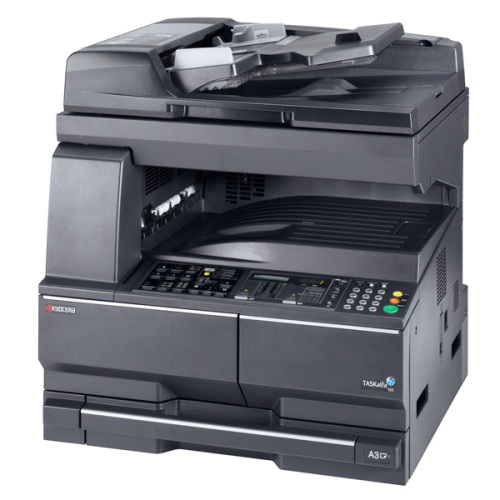
Ошибки печки:
С6000 — неисправность нагревателя
С6020 — аномально высокая температура термистора
С6050 — аномально низкая температура термистора
С6400 — нулевой сигнал ошибки
Если вы столкнулись с одной из вышеперечисленной ошибкой, то сбросьте ее при помощи Режима обслуживания, используя сервисный код 163.
1. Войдите в Режим обслуживания (для этого нажмите кнопки «10871087«).
2. Введите код 163 (сброс ошибок печки).
3. Нажмите кнопку Start.
Все современные копировальные аппараты, мфу и принтеры Kyocera имеют возможность диагностировать все узлы устройства в режиме запуска и во время работы аппарата. По этому, если во время включения или во время работы произошел сбой, то техника Kyocera сможет сообщить о наличии ошибки.
В большинстве случаев у аппаратов Kyocera код ошибки отображается на дисплее, в остальных случаях тип ошибки зависит от последовательности и количества миганий индикаторов.
Если Ваш копировальный аппарат, МФУ или принтер Kyocera выдал на дисплее некий код, то узнать причину, описание возникновения ошибки, а так же в каком узле аппарата стоит искать проблему, Вы можете в этом разделе выбрав интересующую модель из списка.
Но диагностика не решит проблему сбоя аппарата, для этого лучше обратиться к профессиональным и опытным сервисным специалистам компании Kyomart! Позвоните нам по телефону
8 (343) 288-23-45 или отправьте запрос на электронную почту: sales@kyomart.ru , и мы обязательно свяжемся с Вами в кратчайшие сроки.
Processing with the fax software was disabled due to a hardware problem.
Abnormal detection of FAX control PWB incompatibility In the initial communication with the FAX control PWB, any normal communication command is not transmitted.
Defective FAX control PWB.
For data in which the MAC address is invalid.
Defective flash memory.
Defective engine PWB.
Defective main PWB.
Defective main PWB.
Detecting engine PWB EEPROM communication error.
Defective engine PWB.
Device damage of EEPROM.
Defective engine PWB.
A checksum error is detected in the main and engine backup memories for the billing counters.
Defective PWB.
Machine number of main and engine does not match.
A communication error is detected 10 times in succession.
JAM05 is detected twice.
A checksum error occurred with the program of the FAX control PWB.
Defective FAX control PWB.
The time is judged to go back based on the comparison of the RTC time and the current time or five years or more have passed.
Defective main PWB.
High-capacity data transfer between the FAX control PWB and the main PWB of the machine was not normally performed even if the data transfer was retried the specified times.
Defective FAX control PWB or main PWB.
The backup data is not retained for file system abnormality of flash memory of the FAX control PWB.
After cassette 1 is inserted, lift sensor does not turn on within 12 s. This error is detected four times successively.
Defective connector cable or poor contact in the connector.
Defective drive transmission system of the lift motor.
Defective lift motor.
Defective engine PWB.
After cassette 2 is inserted, PF lift sensor 1 does not turn on within 12 s. This error is detected four times successively.
Defective connector cable or poor contact in the connector.
Defective drive transmission system of the PF lift motor 1.
Defective PF lift motor 1.
Defective PF main PWB.
After cassette 3 is inserted, PF lift sensor 2 does not turn on within 12 s. This error is detected four times successively.
Defective connector cable or poor contact in the connector.
Defective drive transmission system of the PF lift motor 2.
Defective PF lift motor 2.
Defective PF main PWB.
A communication error is detected 10 times in succession.
Defective connector cable or poor contact in the connector.
Defective engine PWB.
Defective PF main PWB.
When writing the data, the write data and the read data is not continuously in agreement 5 times.
Device damage of EEPROM.
Stable OFF is detected for 1 s continuously after main motor stabilized.
Defective drive transmission system of the main motor.
Defective main motor.
Defective engine PWB.
The main motor is not stabilized within 2 s after driving starts.
Defective drive transmission system of the main motor.
Defective main motor.
Defective engine PWB.
The rated speed signal detected the stability OFF continuously for 1 s after the developer motor K stabilizes.
Defective drive transmission system.
Defective motor.
Defective PWB.
The rated speed signal detected the stability OFF continuously for 1 s after the developer motor YCM stabilizes.
Defective drive transmission system.
Defective motor.
Defective PWB.
Developer motor K is not stabilized within 2 s since the motor is activated.
Defective drive transmission system.
Defective motor.
Defective PWB.
Developer motor YCM is not stabilized within 2 s since the motor is activated.
Defective drive transmission system.
Defective motor.
Defective PWB.
The rated speed signal detected the stability OFF continuously for 1 s after the fuser motor stabilizes.
Defective drive transmission system.
Defective motor.
Defective PWB.
Fuser motor is not stabilized within 2 s since the motor is activated.
Defective drive transmission system.
Defective motor.
Defective PWB.
The rated speed signal detected the stability OFF continuously for 1 s after the conveying motor stabilizes.
Defective drive transmission system.
Defective motor.
Defective PWB.
Conveying motor is not stabilized within 2 s since the motor is activated.
Defective drive transmission system.
Defective motor.
Defective PWB.
When the PF drive motor is driven, error signal is detected continuously for 1 s.
Defective drive transmission system of the PF drive motor.
Defective PF drive motor.
Defective PF main PWB.
When the TC belt motor is driven, error signal is detected continuously for 1 s.
Defective drive transmission system of the PF drive motor.
Defective PF drive motor.
Defective PF main PWB.
The home position is not correct when the power is turned on or at the start of copying using the table.
Defective home position sensor.
Defective ISU motor.
Defective CCD PWB.
Defective engine PWB.
When input value at the time of exposure lamp illumination does not exceed the threshold value between 5 s.
Defective exposure lamp.
Defective CCD PWB.
Defective main PWB.
An error code is detected 3 times in succession.
Defective CCD PWB.
Defective main PWB.
The polygon motor is not stabilized within 10 s after driving starts.
Defective polygon motor.
Defective engine PWB.
The rated speed signal detected the stability OFF continuously for 1 s after the polygon motor (K) stabilizes.
Defective motor
Defective PWB.
The rated speed signal detected the stability OFF continuously for 1 s after the polygon motor (С) stabilizes.
Defective motor
Defective PWB.
The rated speed signal detected the stability OFF continuously for 1 s after the polygon motor (M) stabilizes.
Defective motor
Defective PWB.
The rated speed signal detected the stability OFF continuously for 1 s after the polygon motor (Y) stabilizes.
Defective motor
Defective PWB.
Stable OFF is detected for 1 s continuously after polygon motor stabilized.
Defective polygon motor.
Defective engine PWB.
Polygon motor (K) is not stabilized within 10 s since the motor is activated.
Defective motor.
Defective PWB.
Polygon motor (C) is not stabilized within 10 s since the motor is activated.
Defective motor.
Defective PWB.
Polygon motor (M) is not stabilized within 10 s since the motor is activated.
Defective motor.
Defective PWB.
Polygon motor (Y) is not stabilized within 10 s since the motor is activated.
Defective motor.
Defective PWB.
BD is not detected within 1 s after polygon motor stabilized.
Defective APC PWB.
Defective BD PWB.
Defective main PWB.
When the LSU cleaning motor is driven, an error signal is detected continuously for 1 s.
Defective drive transmission system.
Defective motor. Defective PWB.
Defective main PWB or engine PWB.
A communication error is detected 10 times in succession.
Defective PWB.
The detected temperature of fuser thermistor does not reach the specified temperature (ready indication temperature) after the fuser heater has been turned on continuously for 60 s in warming up. The fusing temperature at 7 seconds and 20 seconds since fuser temperature control has occurred differs by 43°C/109.4°F or less.
Deformed connector pin.
Defective triac.
Fuser thermostat triggered.
Broken fuser heater wire.
Defective engine PWB.
6020
6030
6050
Abnormally high fuser thermistor temperature Broken fuser thermistor wire Abnormally low fuser thermistor temperature
Defective triac.
The fuser thermistor detects a temperature higher than 230°C/446°F continuously for 40 ms. High fuser temperature signal detects a temperature of 255°C/491°F continuously for 40 ms.
Defective triac.
Shorted fuser thermistor.
Defective engine PWB.
A/D value of the fuser thermistor exceeds 251 bit continuously for 7 s during warming up.
Deformed connector pin.
Defective triac.
Defective fuser thermistor.
Defective engine PWB
As the stable temperature has reached the second time, the decrease in the fuser thermistor temperature of 60°C/140°F or greater is detected for one second.
Defective triac.
Defective fuser thermistor
Defective fuser heater.
Defective engine PWB.
The fuser temperature exceeds 200 °C/392 °F for 1 s.
Defective IH PWB.
Defective fuser thermistor.
Defective engine PWB.
Deformed connector pin.
Defective IH PWB.
Defective fuser thermistor.
Defective engine PWB.
The fuser temperature lower than 30 °C/86 °F is detected continuously for 1 s.
Defective fuser thermistor
Defective fuser heater.
Defective engine PWB.
Fuser thermistor 1 does not reach 50° C/122 °F even after20 s during warming up. The detected temperature of fuser thermistor1 does not reach the specified temperature (ready indication temperature) for 20 s in warming up after reaching 50° C/122 °F.
Deformed connector pin.
Fuser thermostat triggered.
Broken fuser heater wire.
Defective engine PWB.
The fuser temperature exceeds 240 °C/464 °F for 1 s
Deformed connector pin.
Fuser thermostat triggered.
Broken fuser heater wire.
Defective engine PWB.
During warming up a hearter, fuser thermistor 2 detects a temperature of 100 °C/212 °F or higher and, fuser thermistor 1 detects a temperature of 37 °C/99 °F or lower.
Deformed connector pin.
Fuser thermostat triggered.
Broken fuser heater wire.
Defective engine PWB.
The fuser temperature lower than 100 °C/212 °F is detected continuously for 1 s during printing. The fuser temperature lower than 50 °C/122 °F is detected continuously for 1 s during pre-heating.
Deformed connector pin.
Fuser thermostat triggered.
Broken fuser heater wire.
Defective engine PWB.
While fuser heater control is performed, the zero-cross signal is not input within 3 s.
Defective power source PWB or engine PWB.
Absence of the fuser unit is detected.
Different type of the fuser unit is installed.
The belt was detected to stop for 1 s continuously during motor remote is on.
Defective IH belt.
Defective IH PWB.
Defective engine PWB.
Defective PWB.
Defective PWB.
Defective PWB.
Defective PWB.
Absence of the developing unit K is detected.
Different type of the developing unit is installed.
Defective PWB.
Absence of the developing unit C is detected.
Different type of the developing unit is installed.
Defective PWB.
Absence of the developing unit M is detected.
Different type of the developing unit is installed.
Defective PWB.
Absence of the developing unit Y is detected.
Different type of the developing unit is installed.
Defective PWB.
Absence of the drum unit K is detected.
Different type of the drum unit is installed.
Defective PWB.
Absence of the drum unit C is detected.
Different type of the drum unit is installed.
Defective PWB.
Absence of the drum unit M is detected.
Different type of the drum unit is installed.
Defective PWB.
Absence of the drum unit Y is detected.
Different type of the drum unit is installed.
Defective PWB.
Absence of the transfer belt unit is detected.
Different type of the transfer belt unit is installed.
Defective PWB.
Defective PWB.
Defective PWB.
When ID sensor 2 detected CTD is 500 or less.
Defective PWB.
When ID sensor 2 detected CTD is 500 or less.
Defective PWB.
When ID sensor 2 detected CTD is 500 or less.
Defective PWB.
When ID sensor 2 detected CTD is 500 or less.
Defective PWB.
Color registration correction was failed.
Defective PWB.
The thermistor output value is 0.3 V or less.
Defective temperature sensor.
The thermistor output value is 3 V or more.
Defective temperature sensor.
No response is issued from the device in reading/writing for 5 ms or more and this problem is repeated five times successively. Mismatch of reading data from two locations occurs eight times successively. Mismatch between writing data and reading data occurs eight times successively.
Defective drum unit.
No response is issued from the device in reading/writing for 5 ms or more and this problem is repeated five times successively. Mismatch of reading data from two locations occurs eight times successively. Mismatch between writing data and reading data occurs eight times successively.
Defective drum unit.
No response is issued from the device in reading/writing for 5 ms or more and this problem is repeated five times successively. Mismatch of reading data from two locations occurs eight times successively. Mismatch between writing data and reading data occurs eight times successively.
Defective drum unit.
No response is issued from the device in reading/writing for 5 ms or more and this problem is repeated five times successively. Mismatch of reading data from two locations occurs eight times successively. Mismatch between writing data and reading data occurs eight times successively.
Defective drum unit.
No response is issued from the device in reading/writing for 5 ms or more and this problem is repeated five times successively. Mismatch of reading data from two locations occurs eight times successively. Mismatch between writing data and reading data occurs eight times successively.
Defective drum unit.
No response is issued from the device in reading/writing for 5 ms or more and this problem is repeated five times successively. Mismatch of reading data from two locations occurs eight times successively. Mismatch between writing data and reading data occurs eight times successively.
Defective developer unit.
No response is issued from the device in reading/writing for 5 ms or more and this problem is repeated five times successively. Mismatch of reading data from two locations occurs eight times successively. Mismatch between writing data and reading data occurs eight times successively.
Defective developing PWB.
No response is issued from the device in reading/writing for 5 ms or more and this problem is repeated five times successively. Mismatch of reading data from two locations occurs eight times successively. Mismatch between writing data and reading data occurs eight times successively.
Defective developing PWB.
No response is issued from the device in reading/writing for 5 ms or more and this problem is repeated five times successively. Mismatch of reading data from two locations occurs eight times successively. Mismatch between writing data and reading data occurs eight times successively.
Defective developing PWB.
No response is issued from the device in reading/writing for 5 ms or more and this problem is repeated five times successively. Mismatch of reading data from two locations occurs eight times successively. Mismatch between writing data and reading data occurs eight times successively.
Defective developing PWB.
When the tray elevation motor raises a tray, the ON status of the tray upper limit sensor is detected.
Defective tray upper limit sensor, paper surface sensor 1/2.
Defective DF main PWB.
The belt sensor does not turn on/off within specified time of the belt solenoid turning on.
Defective belt sensor.
Defective belt solenoid.
Defective DF main PWB.
The tray low limit sensor or paper surface sensor 1/2 cannot be detected to be on within 10 s since the tray elevation motor is activated.
Defective connector cable or poor contact in the connector.
The tray elevation motor malfunctions.
Defective tray lower limit sensor, paper surface sensor 1/2.
Defective DF main PWB.
Jam 7012 or 7023 is indicated.
The stapler is blocked with a staple.
The stapler is broken
Defective DF main PWB.
The adjustment sensor 2 does not turn on/off within specified time of the adjustment motor 2 turning on.
Defective adjustment sensor 2.
Defective adjustment motor 2.
Defective DF main PWB.
The adjustment sensor 1 does not turn on/off within specified time of the adjustment motor 1 turning on.
Defective adjustment sensor 1.
Defective adjustment motor 1.
The roller sensor does not turn on/off within specified time of the roller motor turning on.
Defective connector cable or poor contact in the connector.
Defective roller sensor.
Defective roller motor.
Defective DF main PWB.
The slide sensor does not turn on/off within specified time of the slide motor turning on.
Defective slide sensor.
Defective slide motor.
Defective DF main PWB.
Reading from or writing to EEPROM cannot be performed.
A communication error is detected 10 times in succession.
Defective DF main PWB.
Defective engine PWB.
A communication error is detected 10 times in succession.
Defective bridge PWB.
Defective engine PWB.
Defective DF main PWB.
Defective bridge PWB.
A communication error is detected 10 times in succession.
Defective DP main PWB.
Device damage of EEPROM.
Defective operation panel PWB.
Defective engine PWB.